2025 Stylus Pen for Surface, Bluetooth Remote Control and Shortcuts, 4096 Levels of Pressure Sensitivity, Palm Rejection
138ر.س
276ر.س-50%Product description
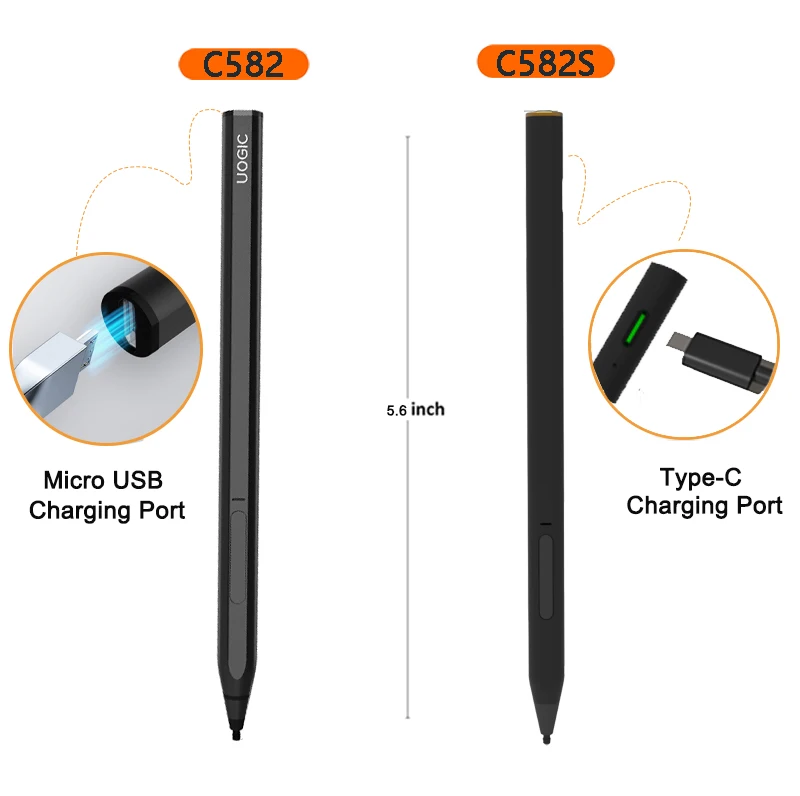
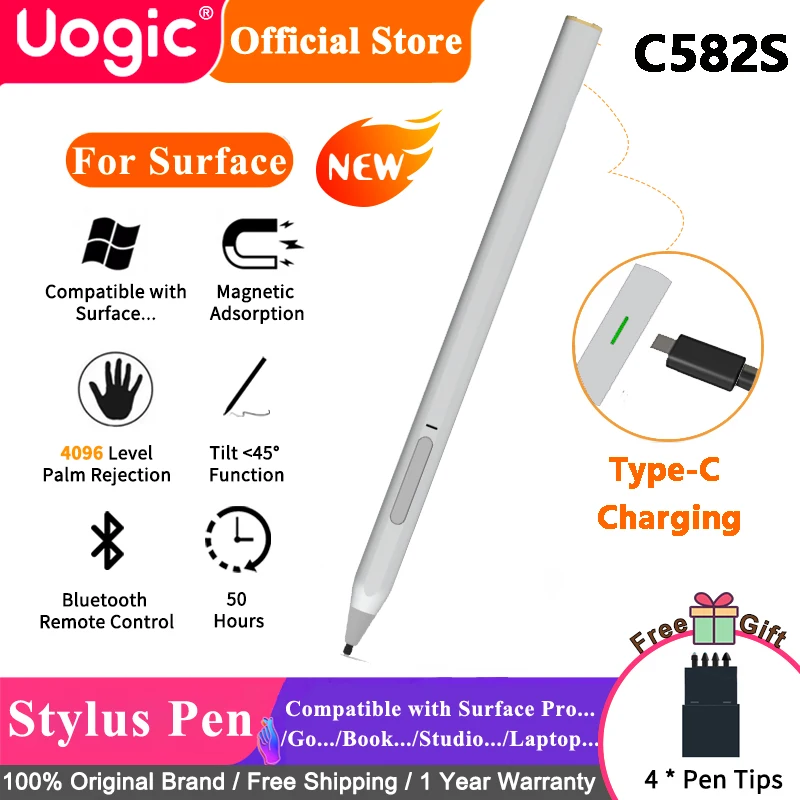
Note: C582 has out of stock, so the upgrade model is C582S;
C582: Magnetic Charging
C582S: Type-C charging
Please kindly know and understand;
Features:
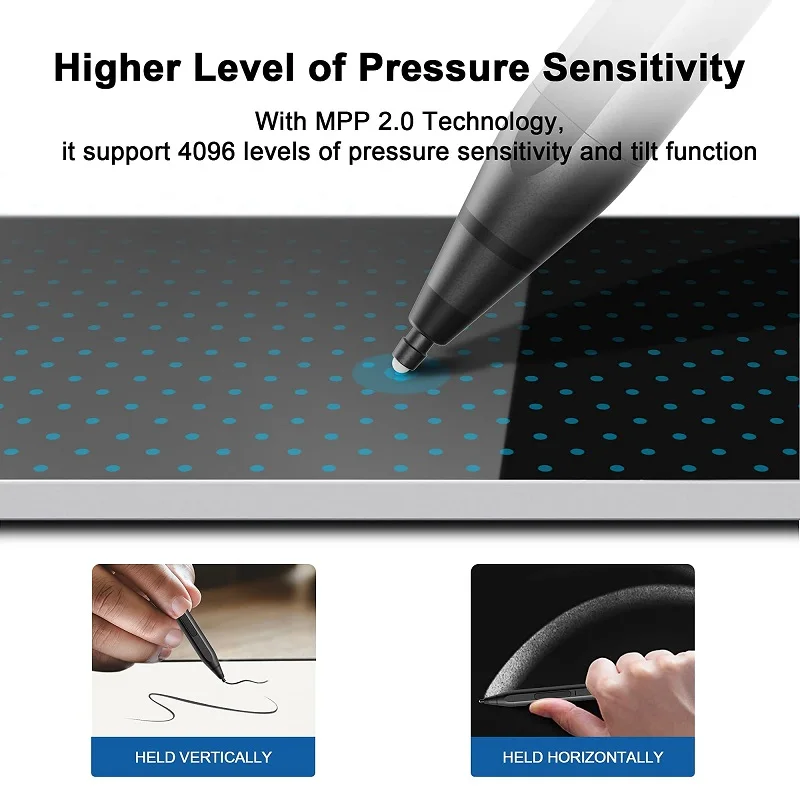
Tilt & 4096 levels of Pressure Sensitivity Supported - MPP 2.0 Technology provides precision sketching and shading with tilt and 4,096 levels of pressure sensitivity. Your pen will respond to the lightest touch.
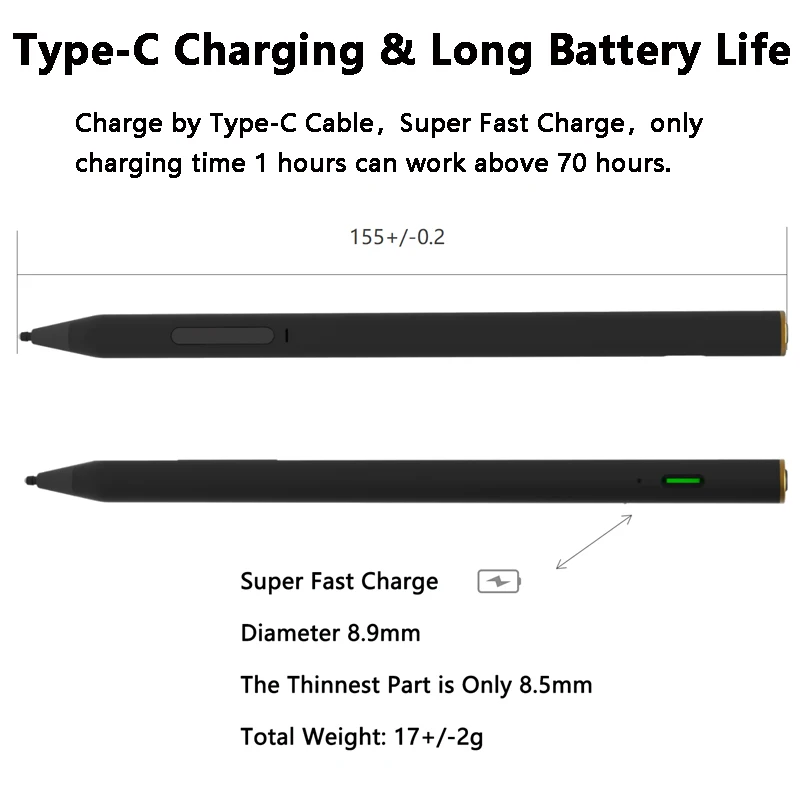
Magnetic Charging & Quick Charge: The charging cable will attach to the bottom of the pen magnetically. No open charging port on the barrel, perfect flawless pen barrel. A 1-hour charge can last for more than 70 hours of continuous use.
Magnetic Attach - Designed to Attach PERFECTLY to the Surface Pro/Go/Book.
*note, devices like the Surface Pro/Go/Book have only one magnetic attachment point for the pen. On the Surface Pro/Go/Book it is LEFT SIDE ONLY.
Absolute No Pairing NeededPower on directly use, no complex device pairing or other delays
Bluetooth Remote Control- Connect Bluetooth and the same button function as the original Bluetooth pen of the surface pen,Easily pair your pen to your device via Bluetooth 5.1, once paired you can click the top button once to open Microsoft Whiteboard, double-clicking will open Snip & Sketch and press and hold will open Sticky Notes. Or use it as a PowerPoint remote control from across the room during a PowerPoint slide show, click the top button to advance to the next slide and press and hold the top button to return to the previous slide.
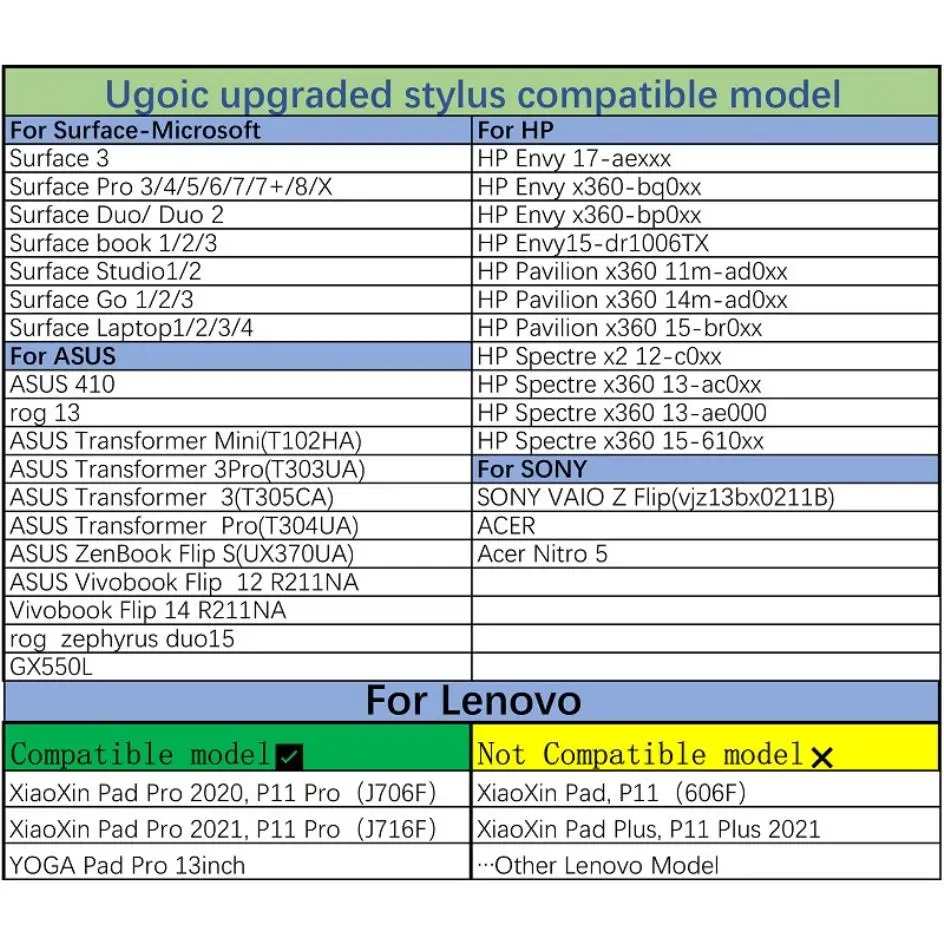
Compatible with
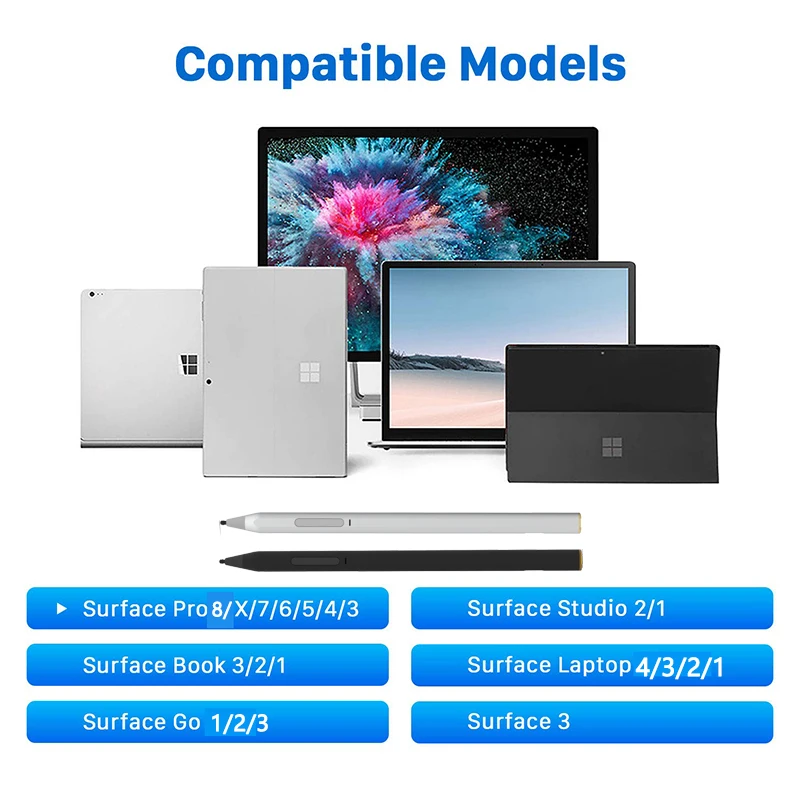
Surface3
Surface Pro 3/4/5/6/7/7+/8/X
Surface Laptop 1/2/3/4
Surface Book 1/2/3
Surface Studio 1/2
Surface Hub 1/2
Surface Go 1/2/3
Compatible with HP
HP Envy 17-aexxx
HP Envy x360-bq0xx
HP Envy x360-bp0xx
HP Envy15-dr1006TX
HP Pavilion x360 11m-ad0xx
HP Pavilion x360 14m-ad0xx
HP Pavilion x360 15-br0xx
HP Spectre x2 12-c0xx
HP Spectre x360 13-ac0xx
HP Spectre x360 13-ae000
HP Spectre x360 15-610xx
Compatible with ASUS
ASUS 410
rog 13
ASUS Transformer Mini(T102HA)
ASUS Transformer 3Pro(T303UA)
ASUS Transformer 3(T305CA)
ASUS Transformer Pro(T304UA)
ASUS ZenBook Flip S(UX370UA)
ASUS Vivobook Flip 12 R211NA
Vivobook Flip 14 R211NA
rog zephyrus duo15
GX550L
Compatible with SONY
SONY VAIO Z Flip(vjz13bx0211B)
ACER
Acer Nitro 5
Compatible with Lenovo
Compatible model
XiaoXin Pad Pro 2020, P11 Pro(J706F)
XiaoXin Pad Pro 2021, P11 Pro(J716F)
YOGA Pad Pro 13inch
Not Compatible model
XiaoXin Pad, P11(606F)
XiaoXin Pad Plus, P11 Plus 2021
Other Lenovo Model
About this item
Model: C582S
Color: black/silver
Pen protocol:MPP2.0
Charging: Type-C Charging
Pressure sensitivity: 4096 level
Tilt function: Support
Latency: 21 milliseconds
Palm Rejection: Support
Bluetooth Remote Control:Support
Power: Long battery life, can be used continuously for more than 50h
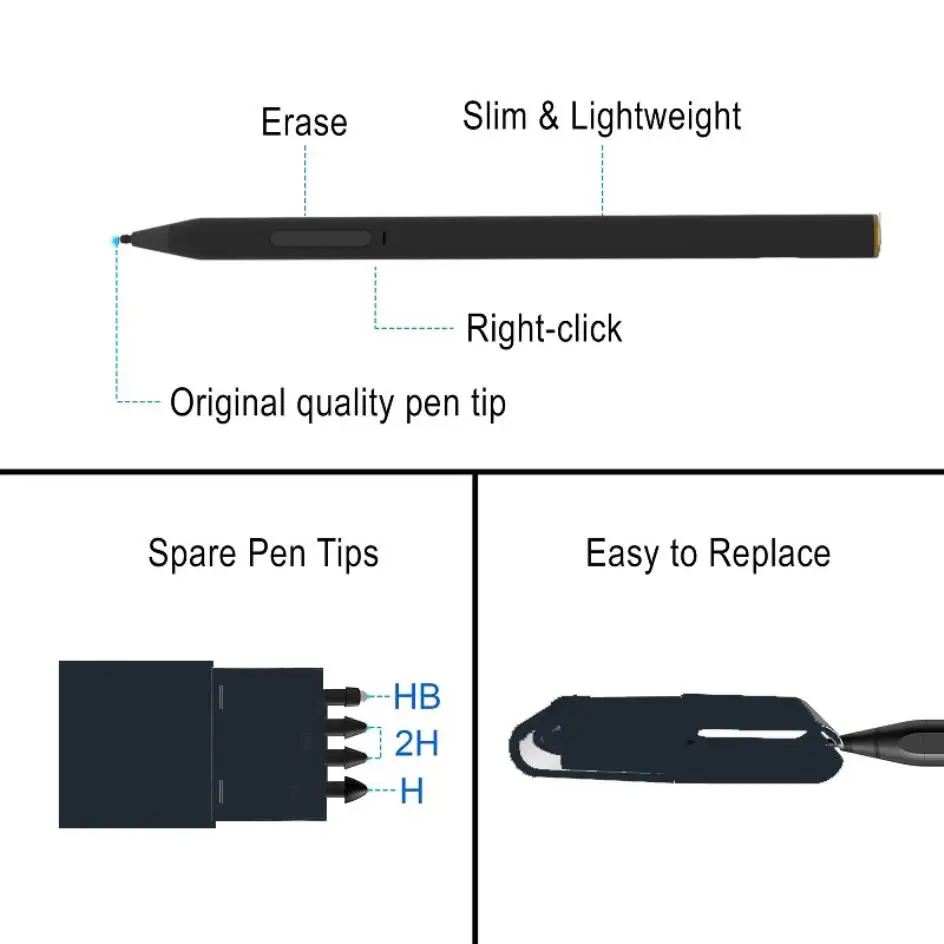
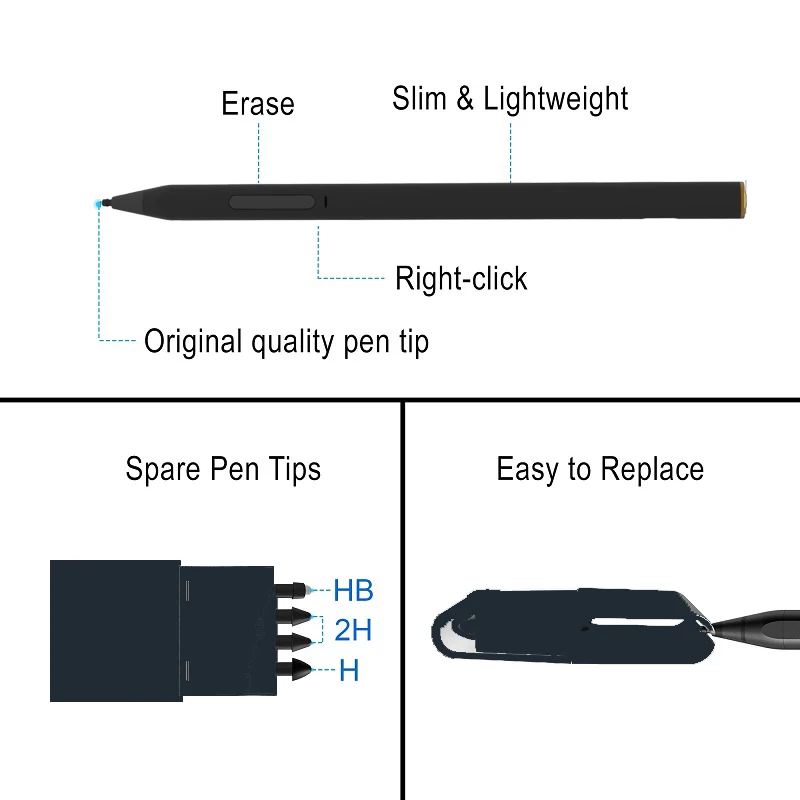
Nib: Pre-installed paper-like nanofiber nib, spare 4 nibs
Material: Anodized aluminum pen body (white is baking varnish)
Connection: Power on directly use ( connect Bluetooth and the same button function as the original Bluetooth pen of the surface pen)
Size: Length 143.6mm, Diameter 9.2mm D-type pen tube, the thinnest part is only 8.7mm
Bare metal weight: 16g
Single package size/weight: 18.8*6*1.8cm/69G
Package includes:
1x Stylus Pen
1x Charging Cable
Normal use:
Bluetooth connection steps:
Take Surface Pro 7 as an example
1. Unlock the tablet and enter the setting interface
2. Click Device, open Add Bluetooth or other devices, click Bluetooth to enter the Add Device page
3. The tablet interface will display the related device name of "Uogic Pen", click on the device name
4. There is no need to enter a password, the mouse, keyboard and pen page shows that "Uogic Pen" is connected, indicating that the connection is successful.
One device has been connected, when you need to connect another device, you need to delete this in the connected device
Notes:
Power On - green light is always on
Charging - flashing red light
Full - green light
Low battery - red light flashes 5 times on green light
Low voltage - red light flashes once and shuts down
(PS: After 10 minutes of no use, enter the power
saving mode, the green light is off, press any key
to wake up, Type-C charging, support 5C lithium
battery fast charging)