New 10.1 Inch LCD Raspberry Pi 4 IPS Capacitive Touch Screen 1024x600 Display with Speacker Holder Monitor for Raspberry Pi 4/3
269.10ر.س
539.35ر.س-50%Product description
10.1 inch LCD Raspberry Pi 4 IPS Capacitive Touch Screen 1024x600 Display Optional Speacker Holder Monitor for Raspberry Pi 4/3 PC
1024x600 Screen (Option 1 & Option 2
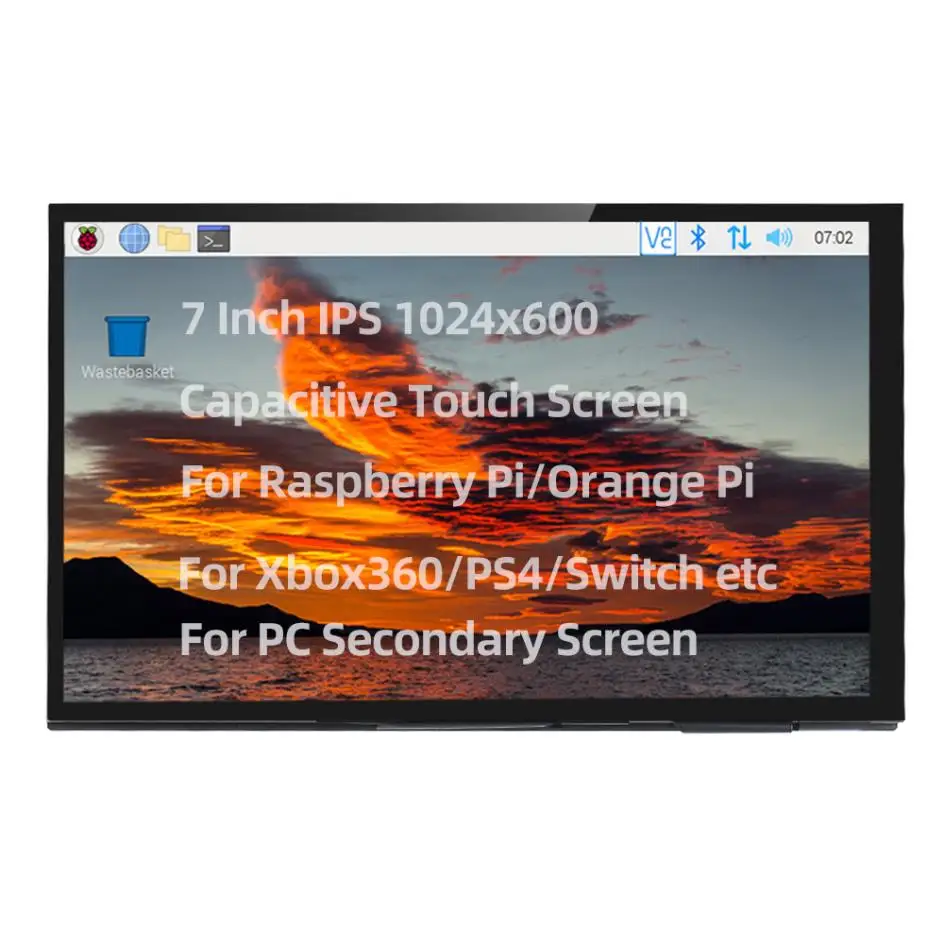
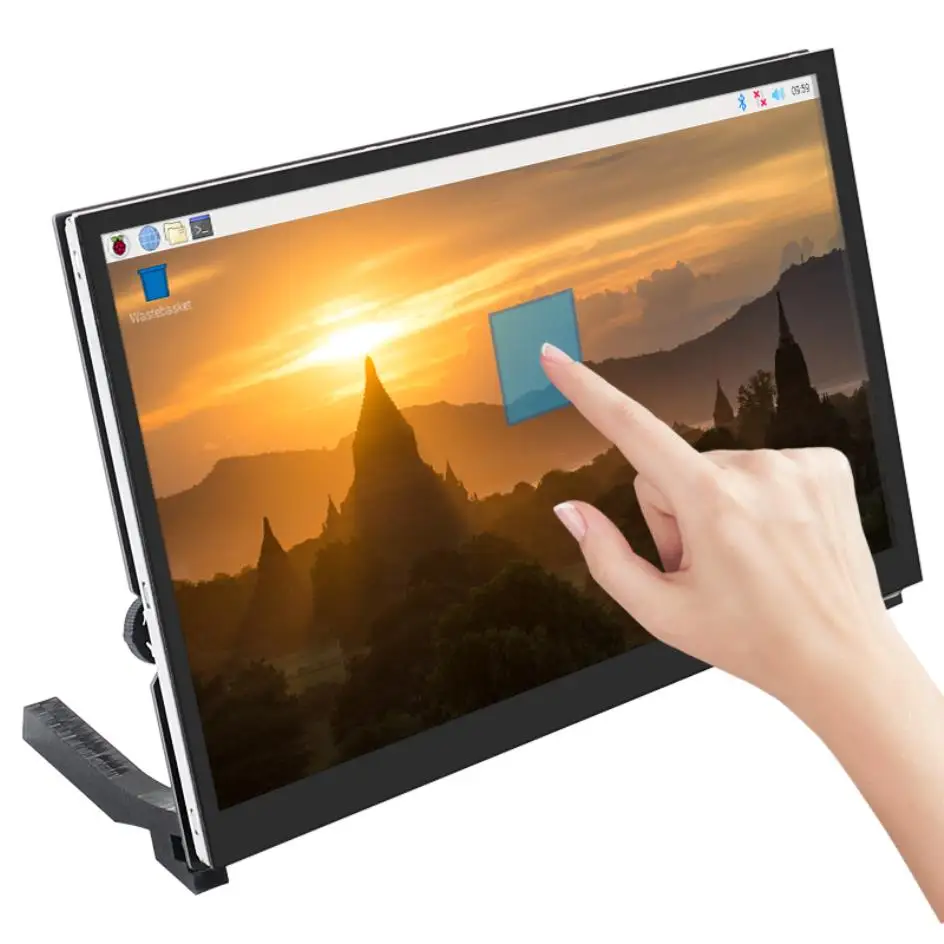
This is the 101 inch 1024x600 touch screen for Raspberrry Pi and PC/miniPC. It is the IPS screen , with 2 speakers and 3.5mm audio interface. And there 2 pcs holder feet for using it more convenient.
Features
IPS full Angle display:
1. The viewing Angle is large
2.. True color
3. Dynamic picture quality is excellent
4. Energy saving and environmental protection
1024X600 hd vision :
1.Resolution for hd 1024X600 dot matrix
2. It is more delicate than 800X480 ordinary screen
Tempered glass touch panel:
Hardness up to 6H, more durable and more scratch resistant
External audio output interface
1. Stereo dual speaker output quality sound
2. 3.5mm external audio interface
Used as a mini PC monitor:
1. Support raspberry Pi, Banana Pi, BB Black and other mainstream development board
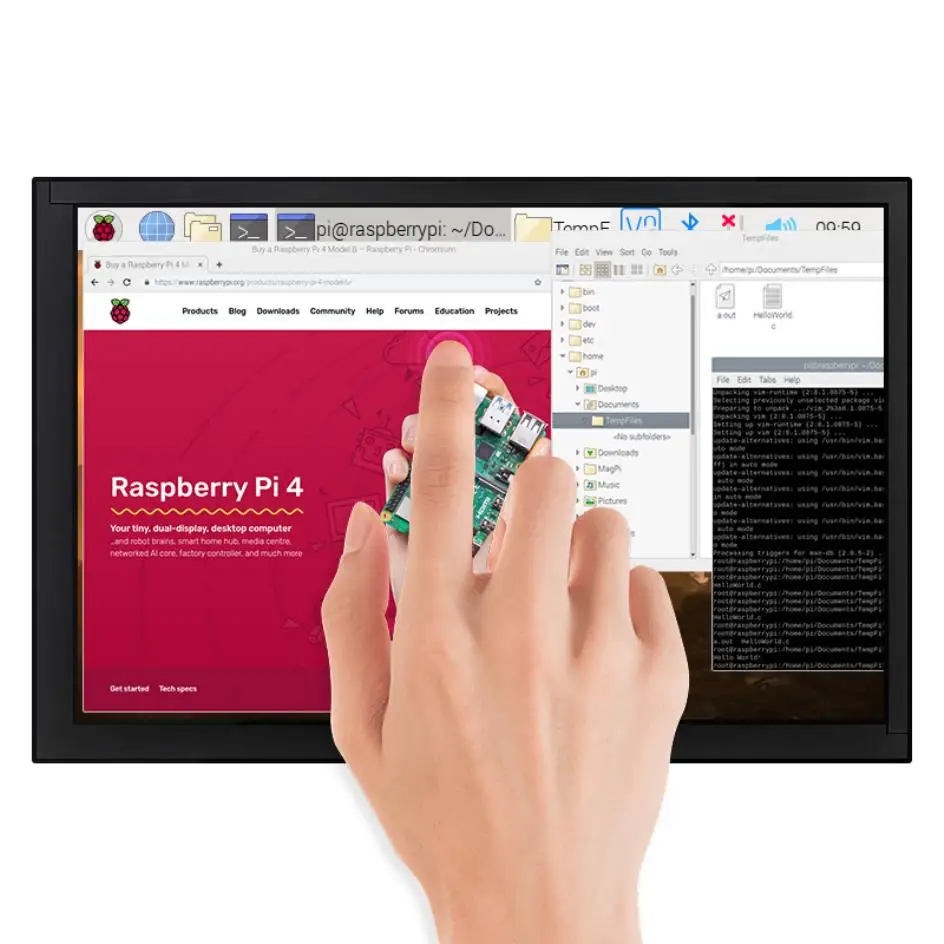
2. Support Raspbian, Kali Linux, ubuntu,single touch plug and play without driver.
Note: Please use our recommended system for touch screen. If you use other systems, it may not have touch function or may not work. You need to configure it yourself. Because there are many systems that the Raspberry Pi can use, we can't make every system compatible with our touch screen.
Used as a computer display:
Support win10/win8/win7 system, support five-point touch plug and play driver
Used as a games monitor
Support Xbox360,PS4,Switch etc
Specifications
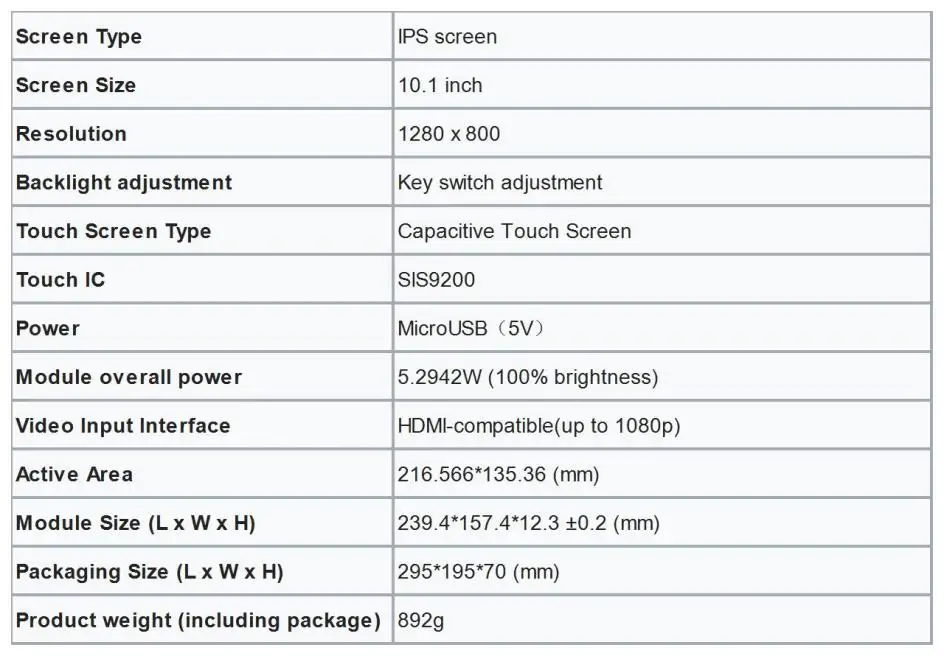
1. Screen Type: IPS screen
2. Screen Size: 10.1 inch
3. Resolution: 1024 x 600
4. Backlight adjustment: Switching and adjusting of dial switch
5. Volume adjustment: Switching and adjusting of dial switch
6. Touch Screen Type: Capacitive Touch Screen
7. Touch IC: GT9271
8. Power: MicroUSB(5V)
9. Speakers Power: 8 2W
10. Video Input Interface: HDMI-compatible
11. Audio Output Interface: 3.5mm Audio Interface + Stereo dual speaker output
12. Module Size (L x W x H): 164.90 × 102.00 × (14.25±0.2)mm
13. Packaging Size (L x W x H) 295*195*70 (mm)
Product weight (including package) 900g approx
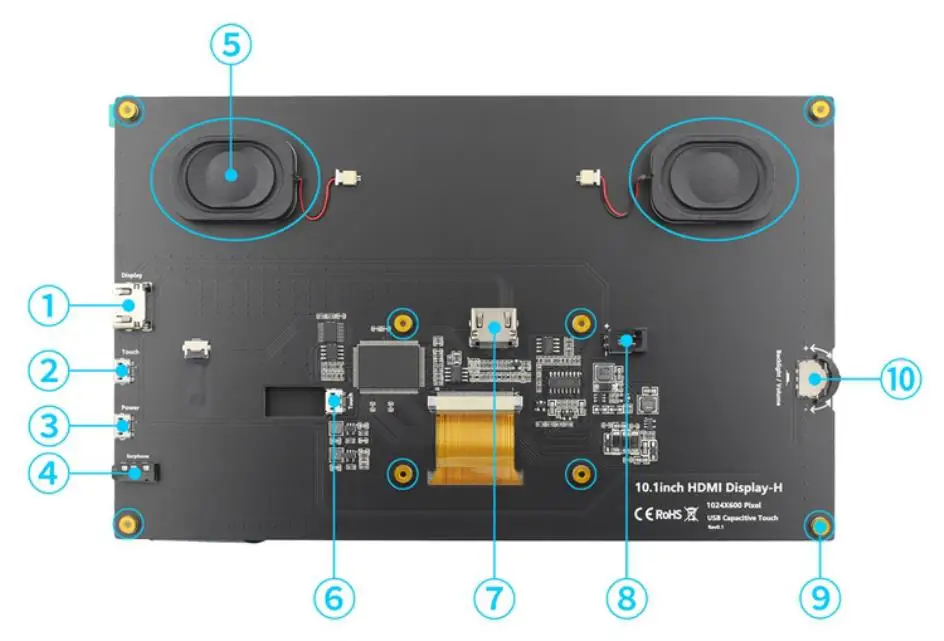
Key and Interface Function
HDMI-compatible Interface: Input HDMI-compatible signal, using HDMI-compatible cable connection, commonly used to connect to the computer,The maximum supported resolution is 1920x1080
Touch Interface: Transfer touch signal, connect with micro USB cable, provide touch and power supply function, commonly used to connect computer
Power Interface: Connect to the power supply and use micro USB cable to connect. Only power supply function is provided
3.5mm Audio Interface: Output audio signal, connect audio output device, such as headphones
Stereo speakers: Output audio signal for external playback of audio signal
Touch Interface: Transmit touch signal, connect with micro USB cable, provide touch and power supply function, commonly used to connect Raspberry Pi
HDMI-compatible Interface: Input HDMI-compatible signal, connect with HDMI-compatible adapter, only used to connect to the Raspberry Pi,The maximum supported resolution is 1024x600
Cooling Fan Interface: Connect cooling fan
Copper x 8: Used to connect raspberry pie and scaffolds
Wheel Switch: Used to adjust screen backlight brightness and volume. By default, in the volume adjustment state, up and down to adjust the volume + and -. Press the switch to switch to the backlight brightness adjustment state, up and down to adjust the backlight brightness increase and decrease respectively. The volume and backlight brightness adjustment state is switched by pressing the switch.
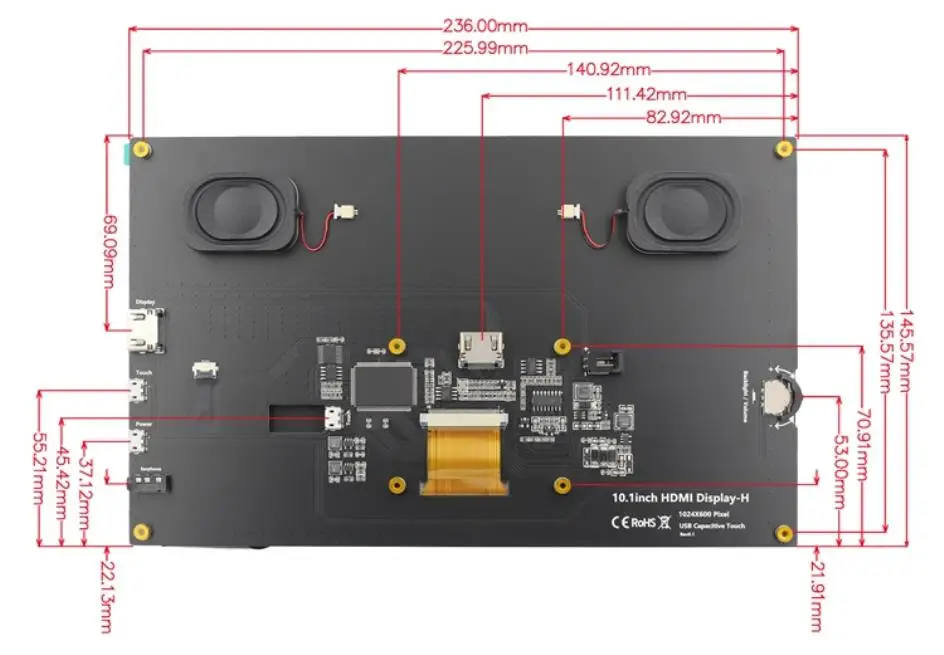
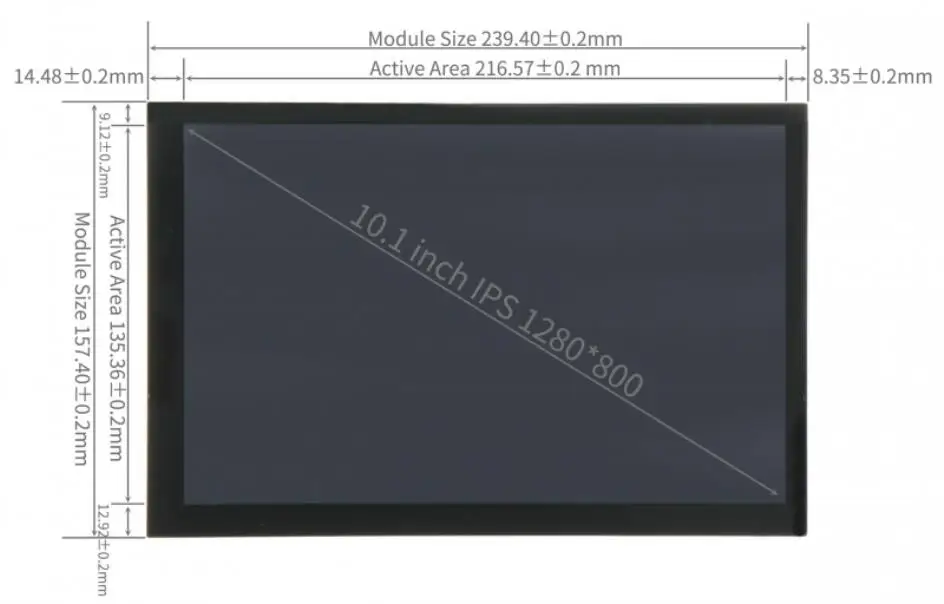
Product Size
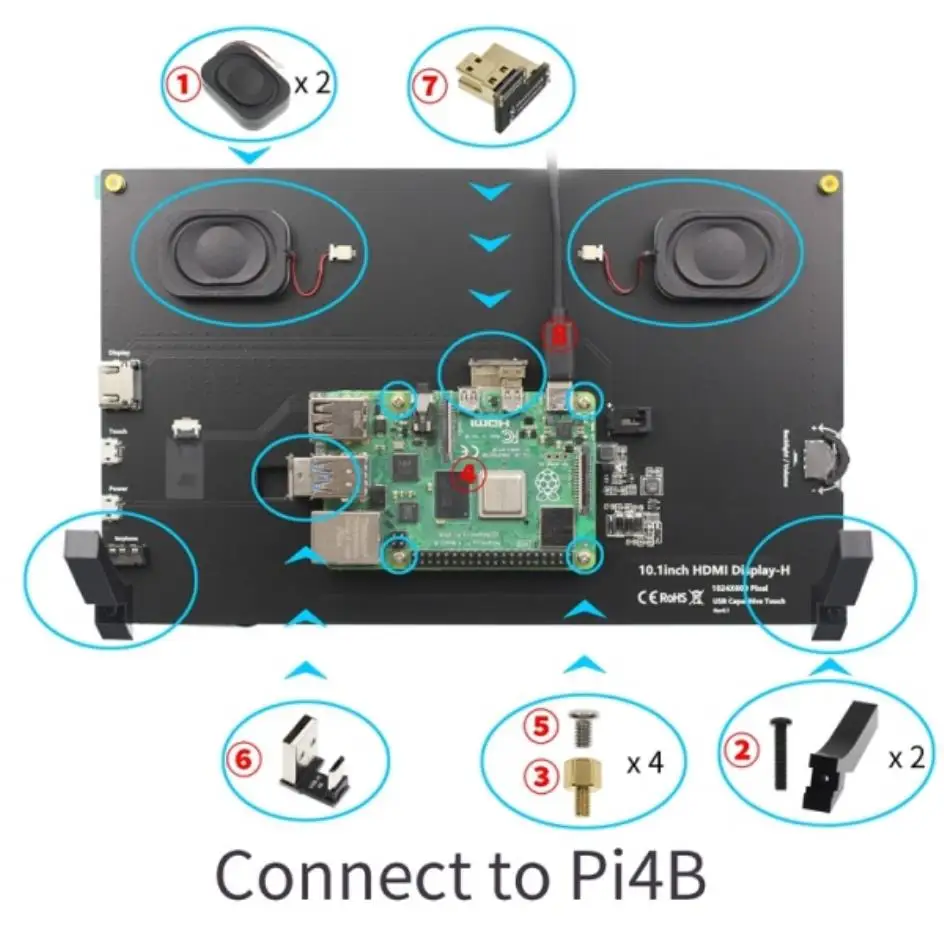
Use for Raspberry Pi 4
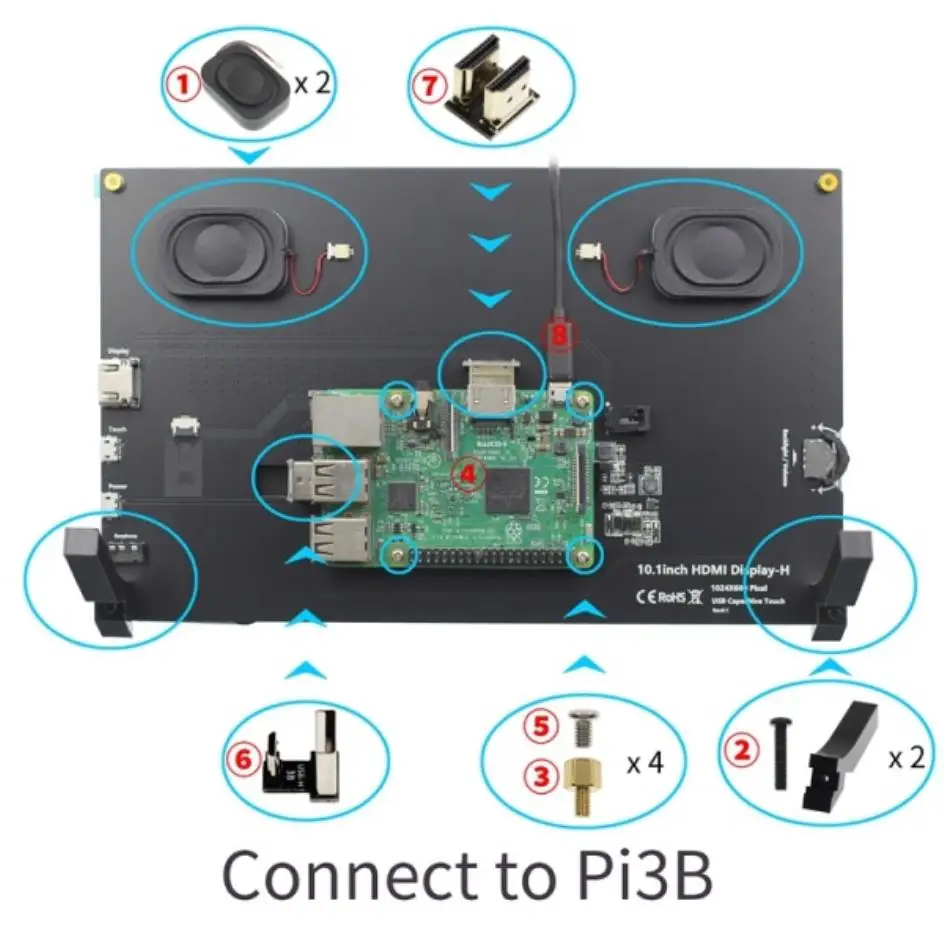
Use for Raspberry Pi 3B+/3B
How to Use
Please click following picture to get using manual
1280x600 Screen(Option3)
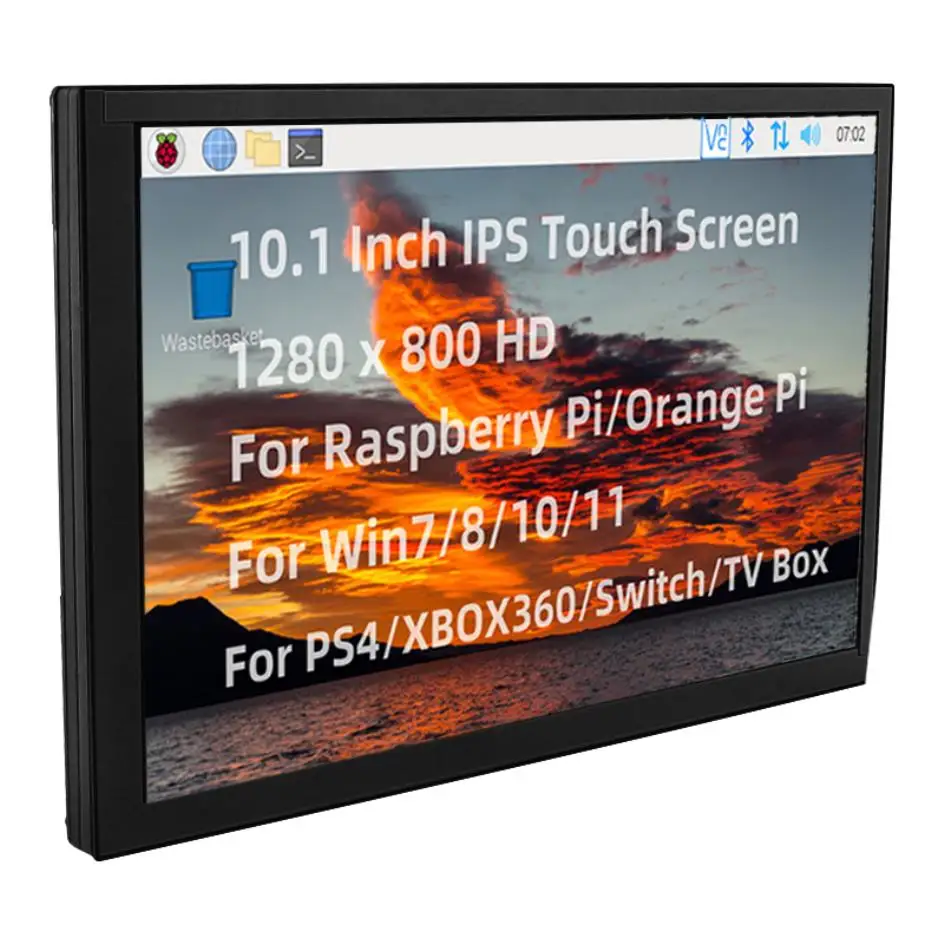
This is the 10.1 inch HD touch screen, with 1280x800 resolution. It is IPS screen.
Features
10.1inch IPS full Angle display
The viewing Angle is large
true color
picture quality is excellent
1280X800 resolution
HD vision
The display is very delicate
New touch panel
Tempered glass cover
Hardness up to 6H, more durable and more scratch resistant
High sensitivity capacitive touch screen
Accurate touch
Support up to 10 touch points
HDMI-compatible interface
HD input
Can be used as HDMI-compatible display
Support multiple device access
Can be connected to mainstream development boards such as raspberry pie, banana PI and BB black
Can be connected to PS4, XBOX360, switch and other mainstream game consoles
Can be connected to mainstream TV box and digital camera (display only)
Support multiple system display
Support raspbian, Kali Linux, Ubuntu, Kodi, win10 IOT and other systems, touch free drive
Support win7/8/10/11 and other systems, touch drive free
Passed CE and ROHS certification
Key and Interface Function Description
Product Size
Connect to Raspberry Pi
How to Use
Please click following picture to view user manual
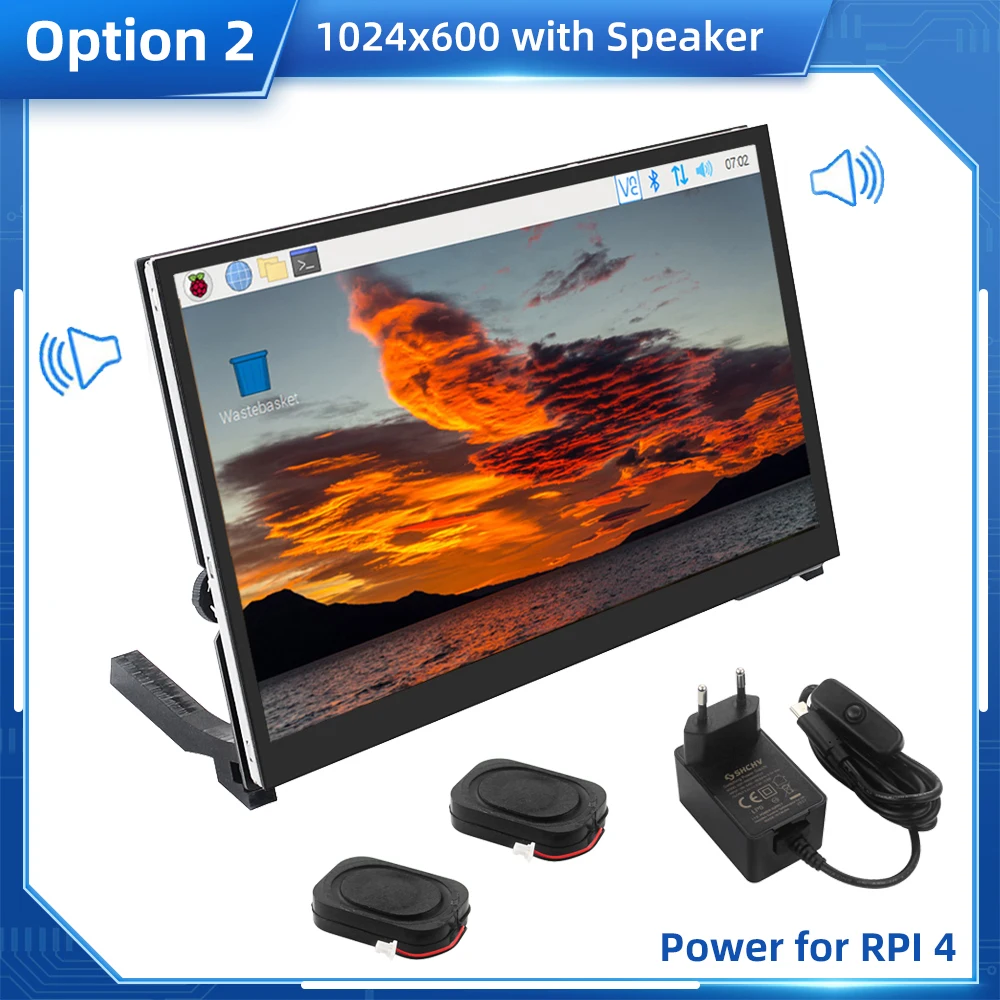
Power adapter for Raspberry Pi 4
This is the 5V 3A USB C switch power adapter with CE certification. It is used for Raspberry Pi 4 (not for LCD). Never worry about the under voltage problem by using this power adapter. There is EU and US plug for the power adapter, if you use UK or AU plug, we provide the UK or AU plug converter for you.
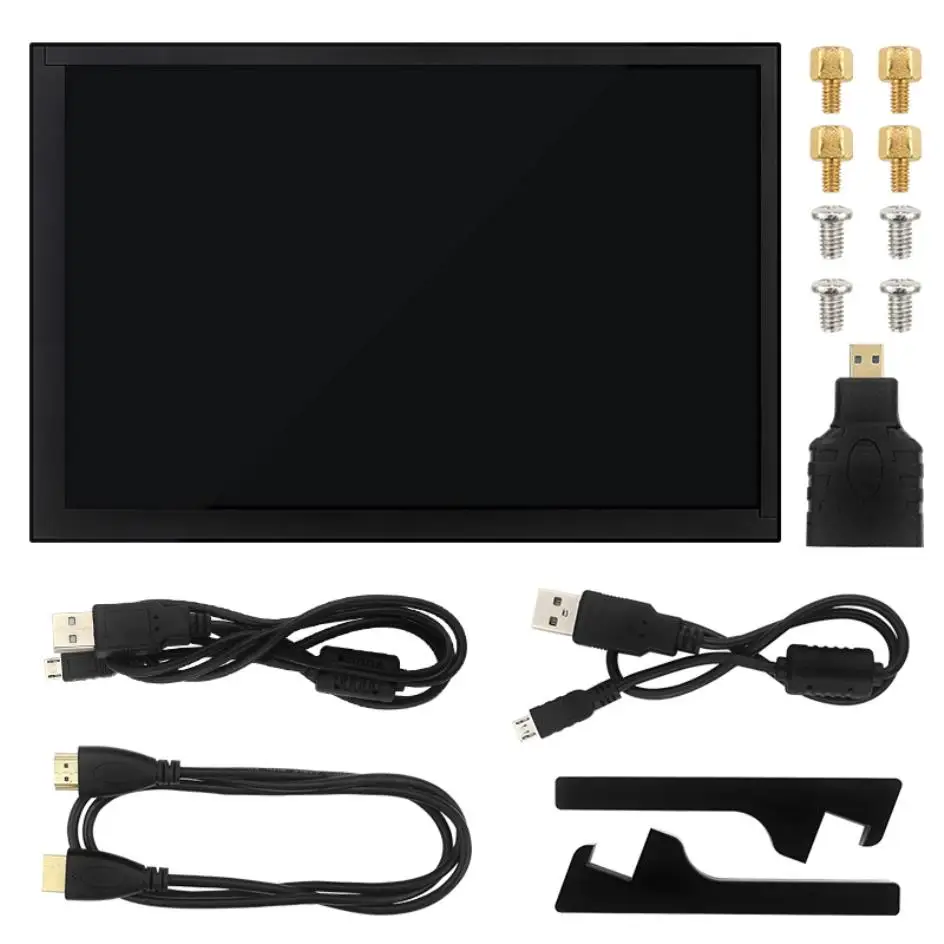
Packing List:
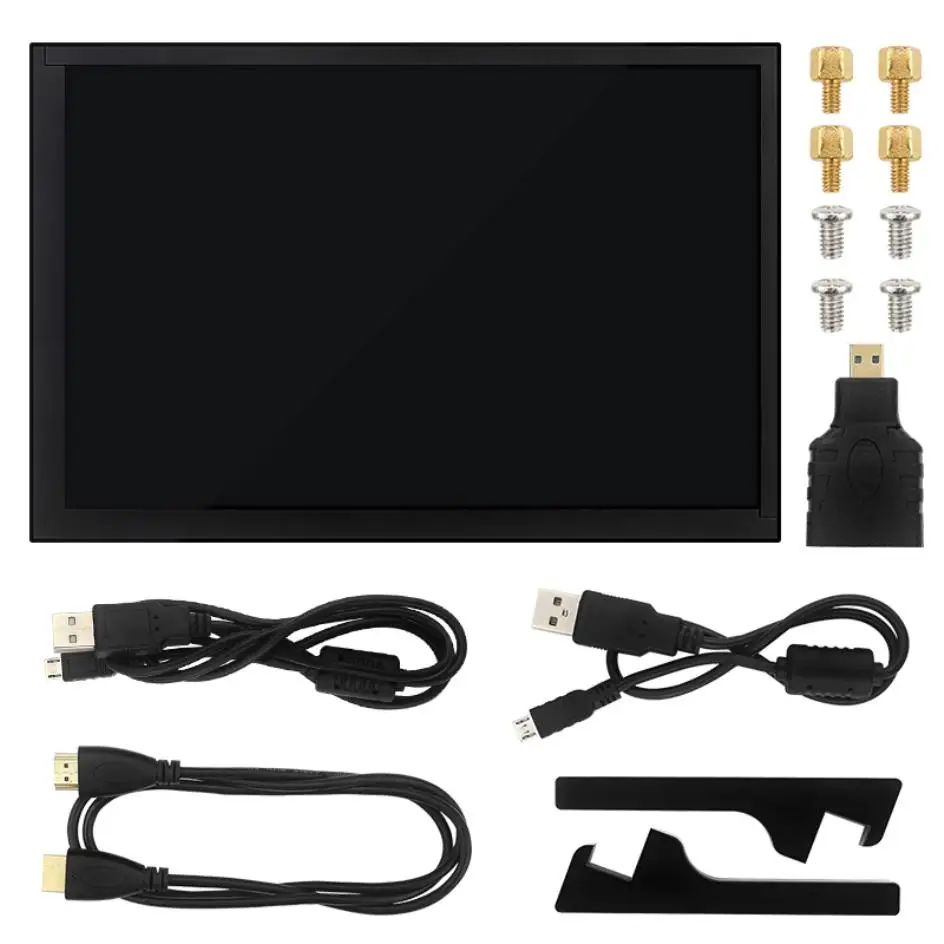
Option 1:
1 x 10.1 inch IPS Touch Screen
2 x Holder Feet
1 x USB to Micro USB Cable
1 x HDM-compatible to HDMI-compatible Cable
1 x HDMI-compatible to Micro HDMI-compatible Conterter
1 x HDMI-compatible to HDMI-compatible Conterter
2 x USB to Micro USB Converter
1 x Screwdriver
1 set x Screws and Nuts
2 x Speakers
(not include Raspberry Pi board)
Option 2:
1 x 10.1 inch IPS Touch Screen
2 x Holder Feet
1 x USB to Micro USB Cable
1 x HDM-compatible to HDMI-compatible Cable
1 x HDMI-compatible to Micro HDMI-compatible Conterter
1 x HDMI-compatible to HDMI-compatible Conterter
2 x USB to Micro USB Converter
1 x Screwdriver
1 set x Screws and Nuts
2 x Speakers
1 x 5V 3A Switch Power Adapter for Pi 4
(not include Raspberry Pi board)
Option 3
1 x 10.1 inch IPS Touch Screen
2 x Holder Feet
1 x USB to Micro USB Cable
1 x HDM-compatible to HDMI-compatible Cable
1 x HDMI-compatible to Micro HDMI-compatible Conterter
1 x HDMI-compatible to HDMI-compatible Conterter
2 x USB to Micro USB Converter
1 x Screwdriver
1 set x Screws and Nuts
(not include Raspberry Pi board)
Use for Computer
This LCD can be used as the HDMI touch monitor of Windows computer, only need to connect HDMI interface and TOUCH interface, can normally display and support up to five points touch.
How to Assemble
Please refer to this video:
https://youtu.be/IDHCtqgCZnY
More Information
Please refer to: http://www.lcdwiki.com/10.1inch_HDMI_Display-H
You can also download the system image which configure well by this link.
FAQ
1. Question: Does the 10.1 inch screen need the extra power supply when I use it for Raspberry Pi ?
Answer: You need not use extra power supply for the 10.1 inch screen when use it for Raspberry Pi. The USB cable between 10.1 inch screen and USB port of Raspberry Pi can supply enough power for it. Connect the USB cable to the "touch" port on the screen, it can provide touch function and power at the same time.
2. Question: When Iuse the micro HDMI to HDMI adapter for Raspberry Pi 4, the screen can not work.
Answer: Please make sure you plug the HDMI port to HDMI slot on the screen totally in.
3. Question: Why the screen can not work ?
Answer: Please make sure you connect all cable well (refert to the production picture in the description). Then make sure you configure the "config" txt in the micro sd card.