Smartphone holder C22 with automatic tracking and tripod for photography
205ر.س
Product description
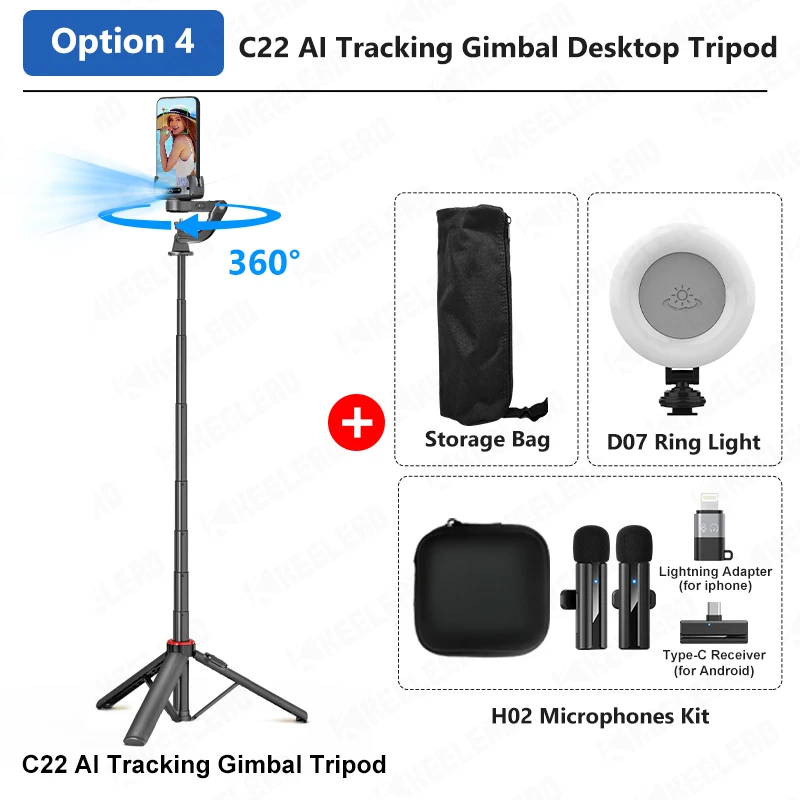
C22 AI Tracking Gimbal Desktop Tripod video 1.Independent lens, intelligent AI tracking. 2.Smart anti-shake heart, walking and running for capturing photos. 3.3 in 1, not only stabilizer, but also axial tracking and selfie stick. 4.Detachable multifunctional remote control, with app, more filming templates. 5.Stable tripod. 6.Advanced aluminum alloy rod. C22 Gimbal materials: ABS + aluminum alloy connections: Bluetooth maximum supported mobile device size: Smartphone width: 50-90 mm; thickness: 7-14 mm weight: 370 grams remote control battery: CR2032 (replaceable) compatibility: Android 8.0+/iOS 13.4+ AI tracking mode note: Please use the axial in case of unlocking, avoid damaging the motor. Desktop followers suitable for live streaming and online teaching and conference recording hand tracking ideal for photography while traveling and vlogging. AI camera locked in "C" mode. On/Off gesture control tracking. -Dominant "OK" mode: you are always in "C" mode. -Lock even if covered, beach cover will not stop tracking. -360° panoramic shot seconds of popular panoramic. -Fire up for creative perspective shooting. stability mode regardless of how filming, it remains stable! Smart motion gyroscope anti-shake function for follow-up filming, easy shooting. -360° fire rotation -Sports shooting steady -Low angle shooting -Travel recording Selfie stick mode fixed tripods for professional and stable filming. 1.338 m/52.68 inch ideal length quick switch to selfie stick. clearer back shots. widely compatible interface 1/4 inch multi-compatibility can be used for mobile phones, fill lights, etc. Do7 ring light optional 3 colors and 3 brightness levels per color remote control compact design 1. Shooting 2. Stability mode -Spin shot -App mode -Horizontal and vertical 3. AI tracking mode -Rotation -Gesture function with app (gimbal display) -Face filter -Smart tracking -Gesture function -Pan and clone me -Dina zoom -Pocket-sized portable product parameters user manual for Gimbal Stabilizer C22 AI 1.Description of the piece 2.Remote control remove remote control. using remote control. 3.Phone mount push one side of the clip with the phone while pulling the other side of the clip with your hand then press the phone on the axial and fix it. *Phone camera and axial power button must be on the same side. 4.Gimbal charging when the axial power is very low, the indicator light turns from green to red, at this time use a Type C charging cable for charging. During charging, the red light stays on, and when fully charged, the red light turns off. 5.Wireless connection first time: --- install the phone in the middle of the phone clip --- press and hold the axial power button to turn on the axial, the green light flashes to enter pairing mode, find "Gimbal Al-XXXXXX" on the phone to match, after successful pairing, the green light stays on. *Phone camera and axial power button must be on the same side. 6.Stability mode 7.Selfie stick mode *Please lock the axial in low power mode to avoid damaging the axial motor. 8.AI tracking mode 9.Gesture function 10.Switch to tracking mode 11.Widely compatible 12.Use tripod 13.Specifications