


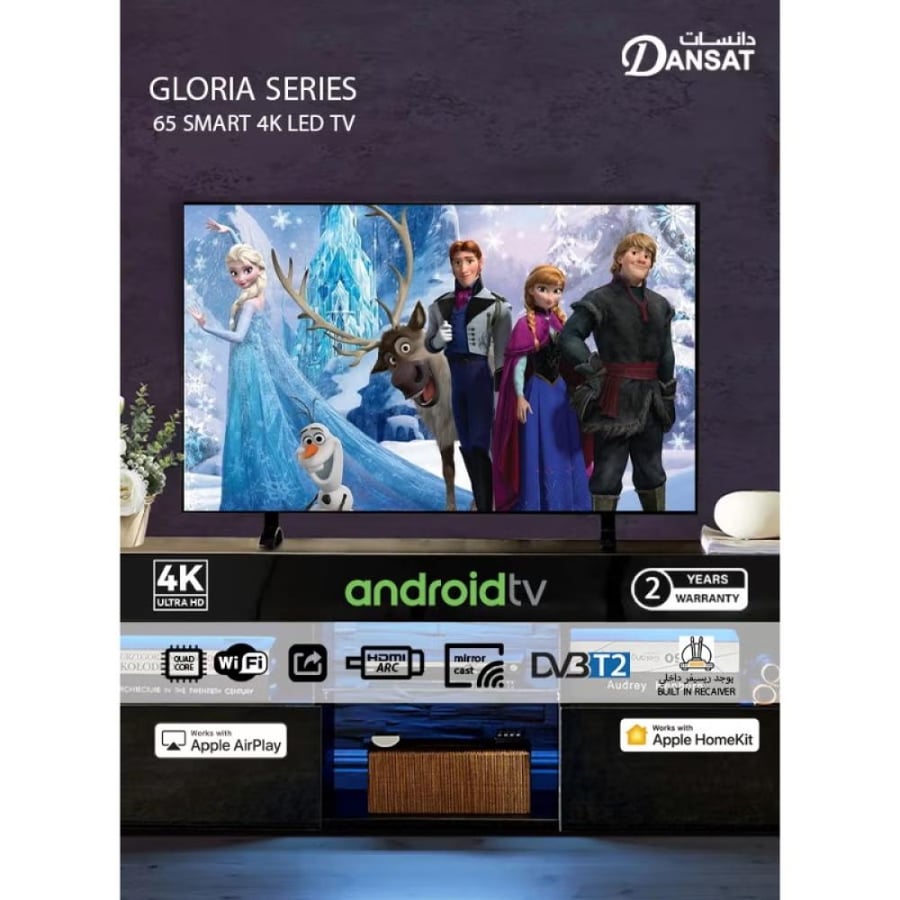
Smart screen Dances 65 inch - Android 13 - 4K resolution - Model DTD65BU
1396ر.س
3551.07ر.س-61%Out of Stock
Product description
Are you dreaming of an amazing cinematic experience in the comfort of your home? Samarat Android TV Dants 65 Smart 4K screen offers you exactly that! Enjoy vibrant colors and detailed images that bring your favorite scenes to life, with easy access to internet content and applications directly on your screen.
Specifications of Dants 65 Smart 4K screen in Saudi Arabia:
Product: Dants 65 Smart 4K screen
Brand: Dants
Model: DTD65BU-09909023
Size: 65 inches
Screen dimensions: 2160 × 3840 pixels
Resolution: 4K UHD
Built-in technologies:
- Widsom Share feature for easy content sharing
- Support for YouTube and Netflix
- Google Play Store for downloading applications
Dants Smart TV remote control
Internet connection: WiFi
Colors and picture: 4K contrast ratio
Power: energy-saving
Sound: pure and high quality
Language: supports Arabic language
Dants 65-inch TV: 4K UHD Smart screen with WiFi!
Amazing clarity: enjoy every detail with 4K resolution that provides exceptional clarity.
Smart experience: Dants 65 Smart 4K screen gives you easy access to your favorite apps via the Google Play Store.
Easy content sharing: with Widsom Share feature, you can display photos and videos from your phone directly on the screen.
Elegant design: Dants 65-inch screen fits any home decor and provides a modern touch.
Energy saving: Dants 65-inch TV features advanced technologies that reduce power consumption while maintaining performance.
Don't miss the opportunity to turn your living room into a private cinema! Get the Dants Smart 4K screen from Techno Best Store today and prepare for an unmatched viewing experience.
Frequently Asked Questions about DTD65BU 4K Smart TV in Saudi Arabia:
1- Are Dants screens good?
Dants screens are considered a good option within their price range, offering acceptable picture quality and smart TV features that allow access to applications and cloud services like YouTube, Netflix, and others. They also stand out with competitive prices compared to other brands, making them a suitable choice for those seeking modern technology at an affordable cost!
2- How do I turn on the Dants Smart screen?
To turn on the Dants 65-inch screen and benefit from its features, follow these steps:
1. Connect to power: plug into the power source and press the power button either on the device itself or use the remote control.
2. Connect to the internet: from the settings menu, select network options and set up the wireless internet connection by choosing your network and entering the password.
3. Navigate the menu: use the remote control to browse through the various applications available on the device.
4. Log in or download: log into your favorite apps like Netflix or YouTube, or download new applications from the store available on your smart screen.
3- How can I connect the Dants screen to the internet and download applications?
To connect the Dants 65-inch screen to the internet, go to the network settings in the main settings menu of the screen. You can choose WiFi connection by entering your home network password. Once connected, you can access the Google Play Store on the screen to download apps like YouTube, Netflix, and other popular applications.
4- What is the Widsom Share feature and how can it be used on the Dants screen?
The Widsom Share feature on the Dants 65-inch screen allows you to share content from your phone to the screen easily and quickly. To use this feature, ensure that your phone and the screen are connected to the same WiFi network. Then, open the feature on your phone and follow the instructions to select the content you want to display on the screen. This can include photos, videos, games, and more, making it easy to share viewing experiences with family and friends.

From Riyadh