

Instant Delivery
Instant Delivery
BoardsReviews Part 2 Exam – 1-Month Access
200ر.س
Product description
Part 2 Subscription from now till the exam day
- 1000+ board-style Part 2 questions (advanced preventive strategies, policy, global health)
- Detailed explanations & citations for every answer
- Performance dashboard to track your progress
How to Redeem Your Subscription Code
To activate your BoardsReviews subscription, please follow the steps below.
Your code appears on the order confirmation page after purchase and is also sent to your email.
1. Go to the Platform
Visit: https://app.boardsreviews.com
2. Log In or Create an Account
- If you already have an account, simply log in.
- If you are new, click “Create Account” and follow the quick steps.
3. Open the Redeem Page
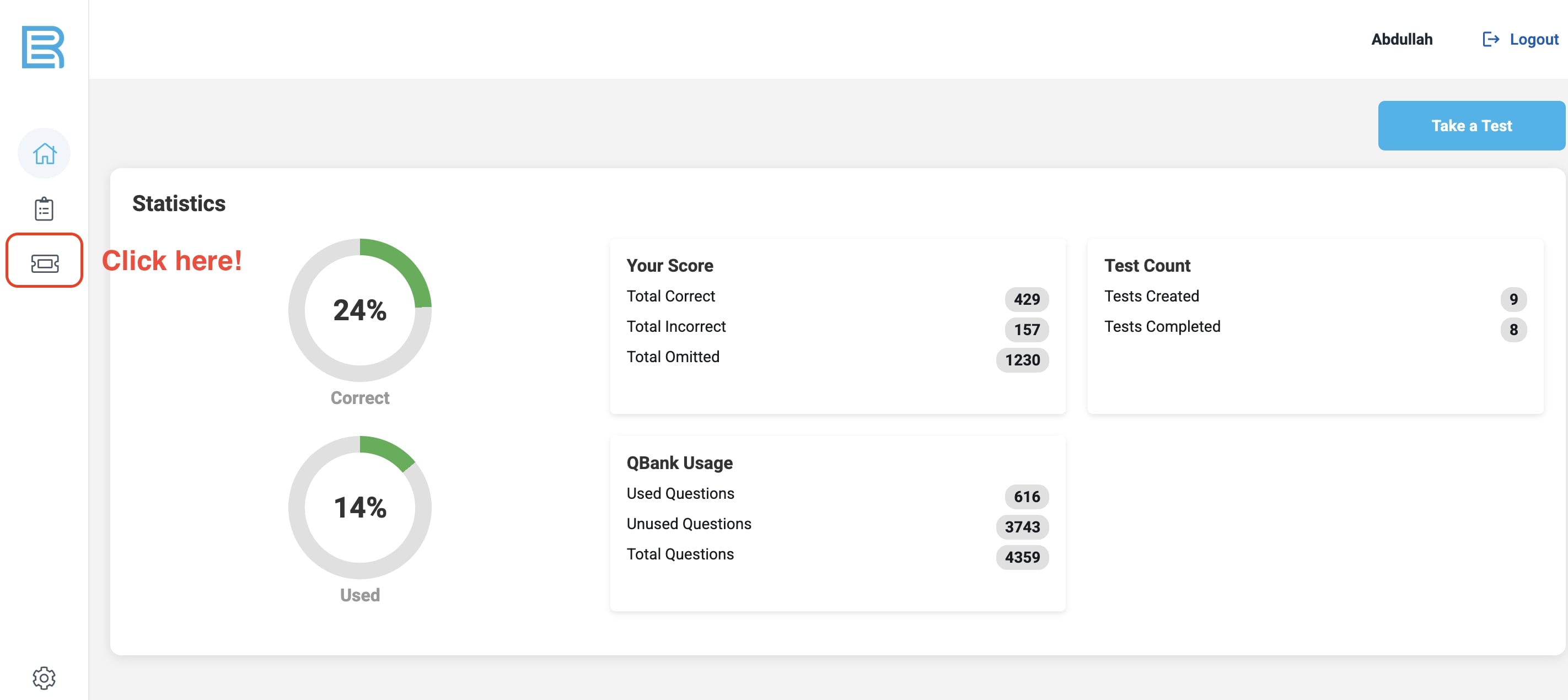
After logging in, you will see your dashboard.
👉 Click on the ticket icon on the left menu (highlighted in red below).
4. Enter Your Subscription Code
Once the redeem page opens, you will find a field to enter your code.
👉 Type your subscription code in the box shown below, then click “Redeem.”
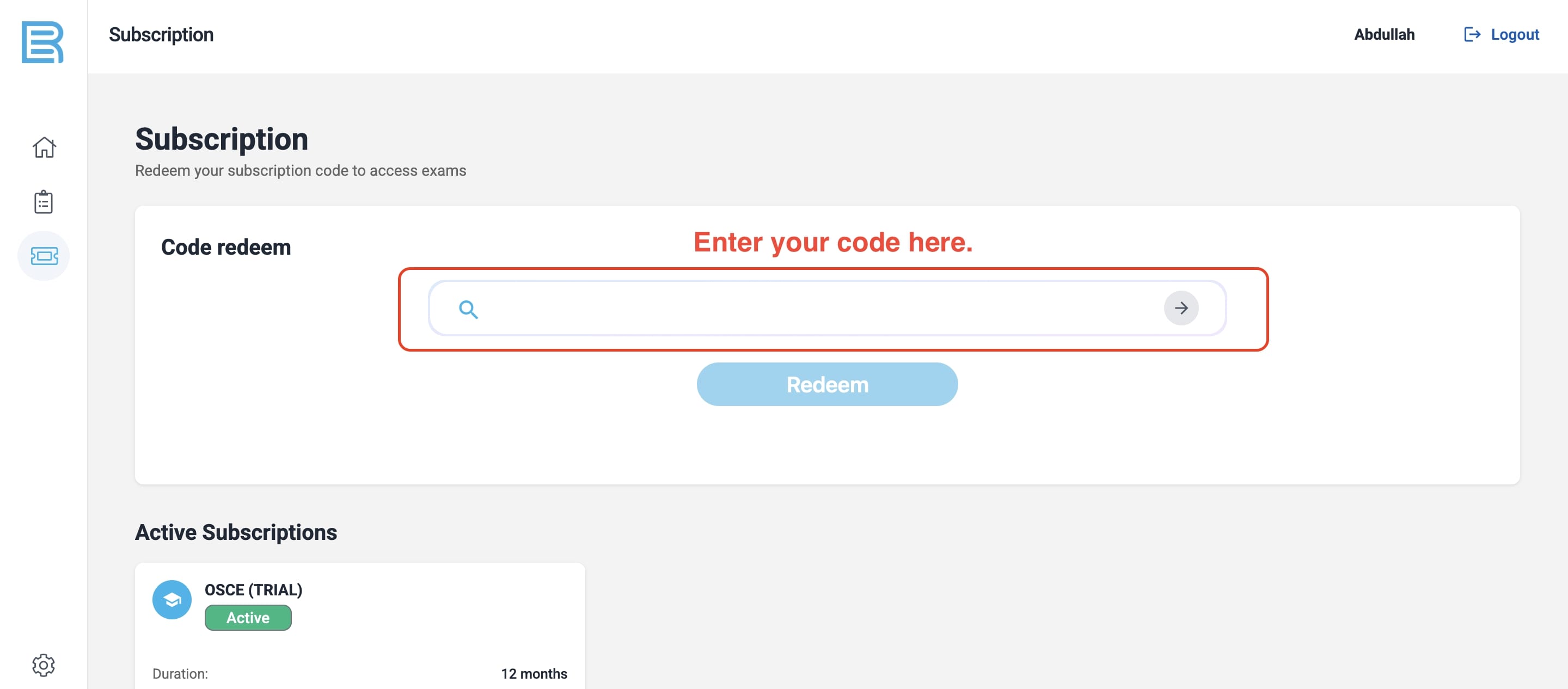
After clicking Redeem, your subscription (1, 3, 6, or 12 months) will be activated immediately.
Need Help? Contact Us Anytime
📧 Email: info@boardsreviews.com
📱 WhatsApp: +966-530054767
We’re here to support you with login issues, code problems, or account setup.

From Jeddah