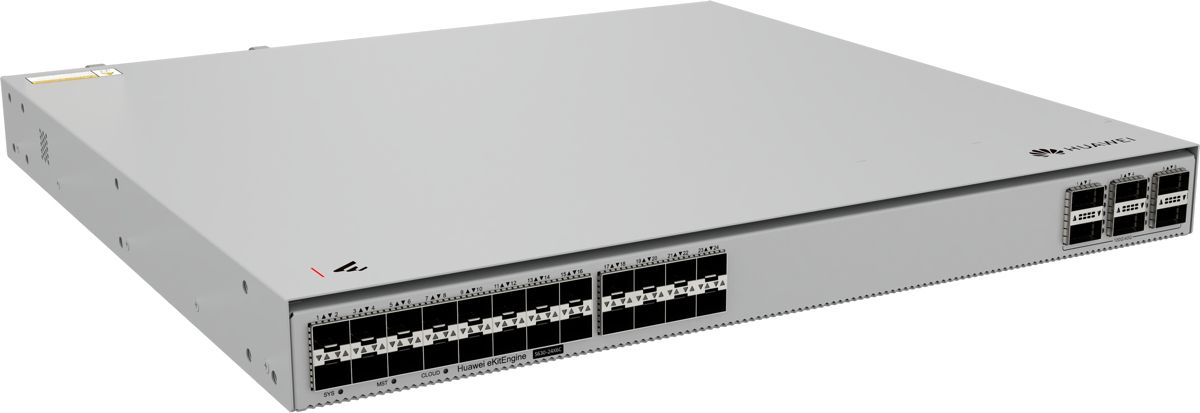
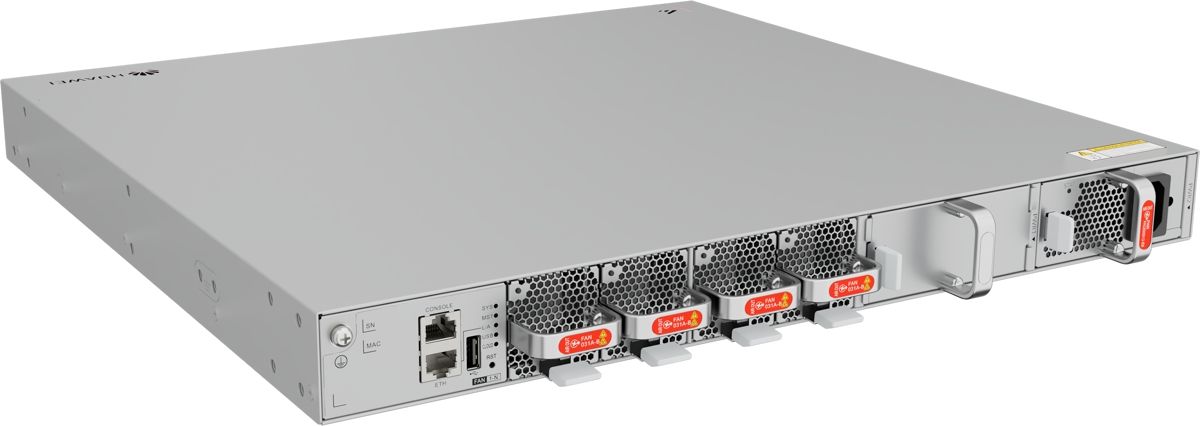
Huawei S630-24X6C Switch with 24x 10GE SFP+ and 6x 100GE QSFP28
12397ر.س
Product description
The Huawei S630-24X6C belongs to the HUAWEI eKitEngine S630 series and carries 24 SFP+ ports at 10G and 6 QSFP28 ports at 100G. It suits the core of a mid-size network where aggregation switches and buildings connect over 100G.
====
The Huawei S630-24X6C is a fiber switch from the HUAWEI eKitEngine S630 series that pairs 24 SFP+ ports at 10G with 6 QSFP28 ports at 100G. Its uplink capacity is larger than all of its downlinks combined. That makes it a natural core for a mid-size network: the 100G ports take uplinks from aggregation switches, and the 10G ports connect buildings and servers.
Huawei S630-24X6C port configuration
- 24 x 10GE SFP+ ports for fiber optics.
- 6 x 100GE QSFP28 ports.
- 1 AC power module included.
600G up, 240G down
Run all 24 downlinks at 10G and you have 240G of traffic. The six 100G ports offer up to 600G. In plain terms, the uplinks never become the bottleneck, even with every downlink full. In practice you use two or three 100G ports to connect aggregation switches such as the S620-24T16X8Y2CZ, which has two 100G ports of its own, and keep the rest for growth.
Typical projects in Saudi Arabia
- Multi-building head offices in Riyadh: a core that links each building's aggregation switch over 100G.
- Large hotels in Makkah and Madinah: a central point for every floor.
- Small data rooms: servers and storage straight onto 10G ports.
- Gated residential compounds: fiber links to telecom rooms spread across the site.
Optics and cabling
Every port is optical, so each one needs a transceiver. Between buildings, use a single-mode module. Check Huawei's compatibility list before ordering.
Three questions before you buy
- How many fiber runs reach the data room today, and how many in three years? Past 24, start with a 48-port model.
- Does your core or aggregation layer run at 40G or 100G?
S630-24X6C or S630-24X6Q?
Both have the same 24 x 10G downlinks. The only difference is the uplinks: the 24X6C has six 100G QSFP28 ports (600G total), while the 24X6Q has six 40G QSFP+ ports (240G total). Choose the 24X6C if your core or aggregation layer runs at 100G now or will soon. If you need 48 x 10G ports instead of 24, look at the S630-48X6C.
Frequently Asked Questions
What is the difference between the Huawei S630-24X6C and S630-24X6Q?
Both have 24 x 10G ports. The 24X6C adds six 100G QSFP28 uplinks; the 24X6Q has six 40G QSFP+ uplinks.
Will the 100G uplinks on the Huawei S630-24X6C bottleneck with every 10G port in use?
Not at the port level. The 24 x 10G downlinks total 240G, while the six 100G ports offer up to 600G.
Specifications
- Model: S630-24X6C
- Product line: HUAWEI eKit (eKitEngine S630)
- 10GE SFP+ ports: 24
- Uplink ports: 6 x 100GE QSFP28
- Aggregate port bandwidth (calculated): Downlinks 24 × 10G = 240G, uplinks 6 × 100G = 600G
- Power supply: 1 x AC power module included
- Software release in Huawei docs: V600R026C10
Features
- 24 SFP+ ports at 10G: connect building and floor switches and servers over fiber.
- 6 QSFP28 ports at 100G: 600G of uplink capacity, more than the 240G total of the downlinks.
- 1 AC power module included: ready to run once racked.
- HUAWEI eKitEngine S630 series, software V600R026C10 in Huawei docs: part of the eKit line for SMBs.
