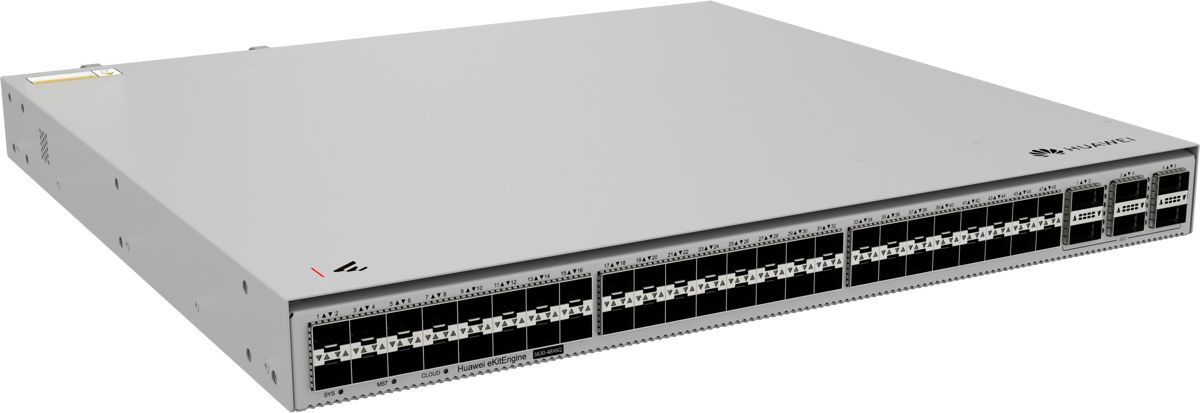
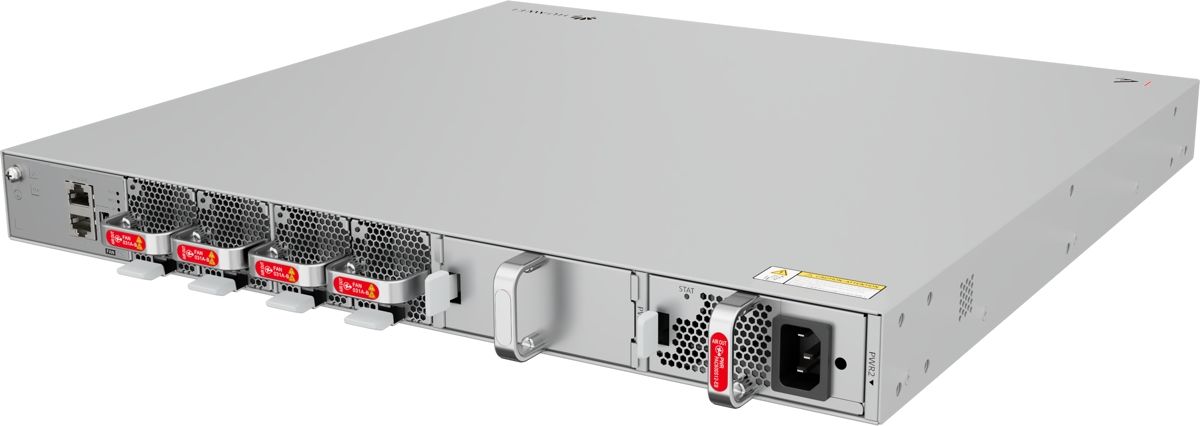
Huawei S630-48X6Q Switch with 48x 10GE SFP+ and 6x 40GE QSFP+
12857ر.س
Product description
The Huawei S630-48X6Q, part of the HUAWEI eKitEngine S630 series, offers 48 SFP+ ports at 10G and 6 QSFP+ ports at 40G. It fits large networks that need many fiber links and run on a 40G backbone.
====
The Huawei S630-48X6Q puts 48 SFP+ ports at 10G into a single unit, with 6 QSFP+ ports at 40G for the link to the core. It belongs to the HUAWEI eKitEngine S630 series within Huawei's eKit line, and it fits large networks with dozens of fiber runs and a 40G backbone, where port count matters more than uplink speed.
Huawei S630-48X6Q ports
- 48 x 10GE SFP+ ports.
- 6 x 40GE QSFP+ ports.
- 1 AC power module included.
What a 2:1 ratio means in practice
The downlinks total 480G and the uplinks 240G, a 2:1 ratio. That may sound high, but office networks rarely see every link at full speed at the same time: someone opens a file or joins a video call, then the link goes quiet. Most enterprise networks are designed with ratios like this or higher. A worked example: 48 floor switches, each serving 40 staff. Even if every person pulled 50 Mbps at the same instant, the total is about 96G, well under the 240G available. If every port will carry continuous CCTV recording, the S630-48X6C with 100G uplinks is the better choice.
Fiber all the way to the access layer
On large sites, some buildings sit more than 100 m from the data room, so fiber is the only option. Pair the S630-48X6Q with access switches that have 10G uplinks, such as the S530-48S4XE, and each building gets its own 10G link, while all of those links reach the core over just six ports.
40G or 100G at this size?
- Your core runs at 40G: this model fits the network as it stands.
- Most traffic is CCTV or large overnight backups: go for the S630-48X6C.
Where it fits in Saudi Arabia
- Residential compounds in Riyadh and Al Khobar: fiber from villas and apartment blocks to a central room.
- Logistics parks and warehouses: a dedicated link for every storage hall and office.
- Universities and colleges: gather campus buildings onto an existing 40G core.
- Large corporate and government headquarters: aggregate dozens of floors in a single tower.
S630-48X6Q, S630-48X6C or S630-24X6Q?
The 48X6Q and 48X6C share 48 x 10G ports and differ in uplinks: six 40G QSFP+ ports (240G) here versus six 100G QSFP28 ports (600G) on the 48X6C. The S630-24X6Q has the same six 40G uplinks with only 24 x 10G ports, giving it a 1:1 ratio. Choose the 48X6Q when your core is 40G, you need more than 24 fiber links and your traffic is mostly office use.
Frequently Asked Questions
Will the 2:1 ratio on the Huawei S630-48X6Q slow my network?
Not for normal office traffic, which never peaks on every link at once. For continuous CCTV recording on every port, the S630-48X6C with 100G uplinks is the better fit.
How does it differ from the S630-24X6Q?
Same six 40G uplinks, but the 48X6Q has 48 x 10G ports and the 24X6Q has 24.
Do I need a transceiver for every port?
Yes, all ports are optical. Use an SFP+ module on each 10G port and a QSFP+ module on each 40G port, depending on distance.
Specifications
- Model: S630-48X6Q
- Product line: HUAWEI eKit (eKitEngine S630)
- 10GE SFP+ ports: 48
- Uplink ports: 6 x 40GE QSFP+
- Aggregate port bandwidth (calculated): Downlinks 48 × 10G = 480G, uplinks 6 × 40G = 240G
- Power supply: 1 x AC power module included
- Software release in Huawei docs: V600R026C10
Features
- 48 SFP+ ports at 10G: high port density to gather floor and building switches in one unit.
- 6 QSFP+ ports at 40G, 240G in total: connect to an existing 40G core with no new optics spend.
- 2:1 ratio, 480G down to 240G up: plenty for normal office traffic, which rarely peaks on every port at once.
- 1 AC power module included: ready to run once installed.
