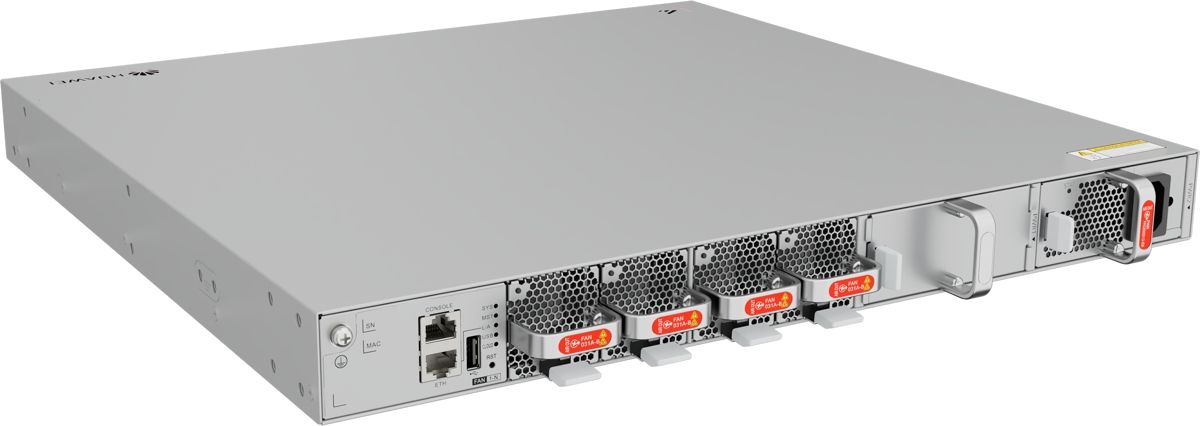
Huawei S630-24X6Q Switch with 24x 10GE SFP+ and 6x 40GE QSFP+
9184.67ر.س
Product description
The Huawei S630-24X6Q, from the HUAWEI eKitEngine S630 series, has 24 SFP+ ports at 10G and 6 QSFP+ ports at 40G. It fits networks built on 40G links between telecom rooms that need aggregation without a bottleneck.
====
The Huawei S630-24X6Q is aimed at networks that already run 40G links between telecom rooms. It combines 24 SFP+ ports at 10G with 6 QSFP+ ports at 40G and belongs to the HUAWEI eKitEngine S630 series within Huawei's eKit line. If you have 40G optics, cabling and a 40G core in place today, this model slots in and uses them as they are.
What the Huawei S630-24X6Q offers
- 24 x 10GE SFP+ ports.
- 6 x 40GE QSFP+ ports.
- 1 AC power module included.
A 1:1 ratio between downlinks and uplinks
The downlinks add up to 240G (24 x 10G). The uplinks also add up to 240G (6 x 40G). Whatever enters on the access side can leave at full speed, even if every port is busy at the same moment. That matters when you aggregate CCTV switches, because video recording is a constant load around the clock, unlike office traffic that drops after working hours.
When does 40G make more sense than 100G?
40G QSFP+ optics have been around for years, and many buildings in the Kingdom have a core built on them. If your core has 40G ports, a 100G model will not raise real throughput until the core itself is replaced. Building from scratch? Compare optics costs and your five-year growth plan first; the S630-24X6C may be the better buy.
How to allocate the ports
- Two or three 40G ports to the core; the rest to another aggregation switch or kept for growth.
- 10G ports for floor switches such as the S310-24P4X, which has 4 x 10GE SFP+ uplinks.
- Leave at least four 10G ports free for future buildings or departments.
Use cases in Saudi Arabia
- Malls and shopping centers: aggregate CCTV switches from every floor over fiber.
- School complexes: link each building to the main data room.
- Hospitals upgrading in phases: keep the existing 40G core and add 10G ports for new wings.
- Logistics warehouses in Jeddah and Dammam: connect distant storage halls over single-mode fiber.
S630-24X6Q, S630-24X6C or S630-48X6Q?
All three are in the same series. The 24X6Q and 24X6C share 24 x 10G ports but differ in uplinks: six 40G QSFP+ ports (240G) here versus six 100G QSFP28 ports (600G) on the 24X6C. The S630-48X6Q keeps the same six 40G uplinks but doubles the 10G ports to 48. Choose the 24X6Q when your core is 40G and you need no more than 24 fiber links.
Frequently Asked Questions
Will the Huawei S630-24X6Q bottleneck with every port in use?
Not at the port level. The uplinks total 240G (6 x 40G), the same as the 24 x 10G downlinks.
Can I connect the 40G ports to a 100G-only core?
The core port must support 40G. If it is 100G only, the S630-24X6C with 100G ports is the better match.
Specifications
- Model: S630-24X6Q
- Product line: HUAWEI eKit (eKitEngine S630)
- 10GE SFP+ ports: 24
- Uplink ports: 6 x 40GE QSFP+
- Aggregate port bandwidth (calculated): Downlinks 24 × 10G = 240G, uplinks 6 × 40G = 240G
- Power supply: 1 x AC power module included
- Software release in Huawei docs: V600R026C10
Features
- 6 QSFP+ ports at 40G: reuse the 40G optics and cabling you already have without touching the core.
- 1:1 ratio, 240G down and 240G up: no bottleneck even with every port busy at once.
- 24 SFP+ ports at 10G: aggregate floor or CCTV switches over fiber.
- 1 AC power module included: ready for the network room.
