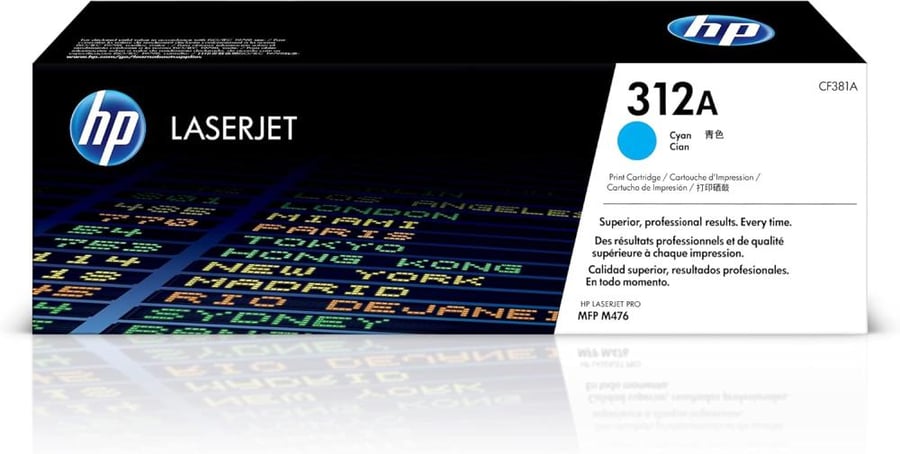
HP CF381A 312A Blue Laser Printer Toner
676.21ر.س
Product description
HP CF381A/312A Blue Laser Toner — Pure Cyan Colors and Professional Print Quality 🔵🖨️
Get crisp color printing and accurate cyan gradations with the HP CF381A (312A) Blue Toner Cartridge — an original cartridge designed to deliver vivid colors and consistent results for marketing documents, brochures, and presentations.
Key Features — Why Choose It? ✅
- Cyan’s vibrant colors and subtle tonal gradients give your prints a professional look.
- HP's ColorSphere technology improves color accuracy and graphics contrast.
- Reliable performance and conformity to factory standards ensure that reprinting and waste are avoided.
Number of pages produced (page yield) 📄
- The advertised page yield for the HP 312A/CF381A cartridge is approximately 2,700 pages at a standard 5% coverage per page. This is an industry standard for comparison between cartridges; actual results may vary depending on print settings and document type.
Printers compatible with 312A ink🔎
The CF381A (312A) cartridge is compatible with a range of HP Color LaserJet Pro series printers, including some of the most prominent supported models:
- HP Color LaserJet Pro MFP M476dn .
- HP Color LaserJet Pro MFP M476dw .
- HP Color LaserJet Pro MFP M476nw .
Always remember to match the CF381A part number with your printer's manual before purchasing to ensure full compatibility.
Installing the cartridge in simple steps 🔧
- Turn off the printer and unplug it from the power supply.
- Open the chamber designated for cartridges and gently pull out the empty cartridge.
- Remove the packaging from the new CF381A cartridge and install it until it is secure in place.
- Close the cover, restart the printer, and then print a test page to check the color quality.
Tips for maintaining print quality and saving costs 💡
- Store the cartridges in a dry, cool place away from sunlight to avoid deterioration of the toner.
- Use economy print settings for drafts to reduce toner consumption, and reserve high settings for final presentations.
- If you notice lines or color variations, perform a cleaning and calibration cycle from the printer maintenance menu before replacing the cartridge.
- For consistent results, prefer original cartridges or reliable alternatives that match part number CF381A.
Print in colors that add credibility to your work 🛒
Add HP CF381A (312A) Cyan Ink to your cart now and enjoy professional-quality prints, pure cyan colors, and reliable page yield. Order now and get crisp, clear results from the first page!

From Medina
Questions you might have