
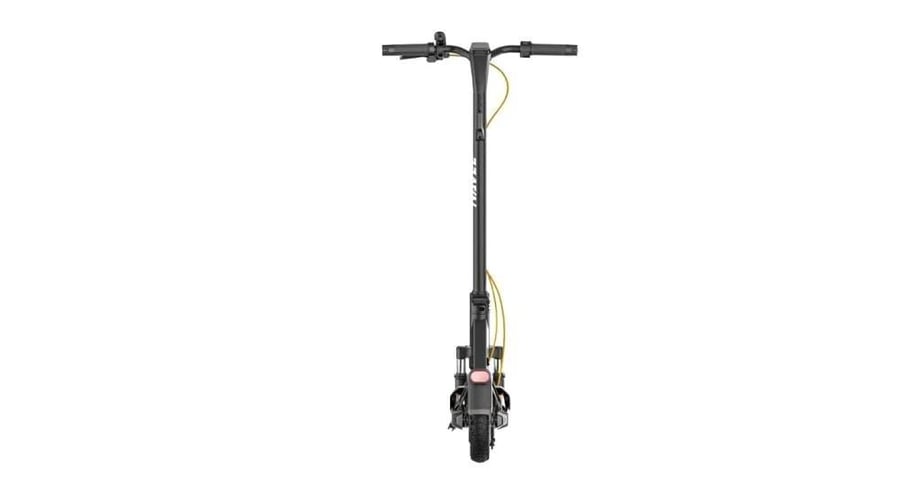


NAVE scooter model (GT3)
2199ر.س
Product description
Electric scooter NAVEE GT3 Unpairing. Turn on the scooter. Make sure the scooter is not locked or during charging, press the brake lever, and press the throttle 5 times at the same time, when the screen is off, the scooter will be restored to factory settings, and it cannot be searched by the Find My app. If you need to pair again, delete the added scooter from the Find My app then pair it again. How to find the serial number. Press the throttle and press the brake lever 3 times to activate the serial number search function for the scooter. The serial number will then be displayed in the Find My app (for iOS users who paired the scooter using the Find My app). Legal notice means that the use of the Works with Apple badge indicates that the product has been specifically designed to work with the technology specified in the badge and has been approved by the manufacturer to meet Apple Find My Network specifications and requirements. Apple is not responsible for operating this device or using this product or complying with safety and regulatory standards. Starting, acceleration, deceleration, and braking. Before riding the bike, please wear a helmet, hand/wrist pads, knee pads, elbow pads, and other protective equipment at all times. Place your foot on the scooter surface, then slowly lift your other foot to the ground. When the scooter starts moving, place both feet on the scooter surface and gently press the throttle. Note: This electric scooter operates with an electric motor. For your safety during riding, the motor will not start until the speed reaches 5 km/h. Release the throttle to slow down, press the brake lever to brake. Parking. When the scooter slows down or stops, put one foot on the ground to get off. Place the bike stand when parking the scooter. Warning about parking the scooter. Do not park your kick scooter on a slope. Make sure the stand is fixed on a flat surface. How can we help? Please contact Navee. Contact/Call: +1 (888) 660-3483. Email: service_us@navee.tech. After-sales site: service.naveetech.com. Place the side stand, lift the leg until it is completely upright. Then push the quick-release lever inward until the end. Fix the handlebar on the leg, and make sure to fix the handlebar in the correct direction. Follow the number order as shown to tighten the four screws previously attached using the Allen key provided. Make sure the handlebar is properly fixed and then tighten the screws well. The illustrations in this manual are for reference only, and the actual appearance should depend on the actual product. Charging. The scooter is fully charged when the LED indicator on the battery charger changes from red to green. Warning: Do not charge non-rechargeable batteries. Use only with T2326-BD3A battery. Use only with FY-5461500 power supply. Charge your scooter indoors, and never expose it to rain. When the scooter is turned off for about a month with the battery level below 30%, it will enter sleep mode. In this case, the scooter cannot be operated. To exit sleep mode, charge the scooter for about three seconds to activate the battery. Connecting to the NAVEE app. Scan the QR code to download and install the app, then you can register/login. Turn on the scooter; the blinking Bluetooth icon indicates the scooter is waiting for connection. Open the NAVEE app, tap [Connect Device], and follow the instructions to connect your scooter. Apple Find My network pairing. Open the NAVEE app and enable the Find My function. Turn on the scooter; press the left or right steering button, then the corresponding steering light and indicator on the control panel will flash. At the same time, the bell will respond with the same frequency. Press the button again to turn on the steering light. Lights: When the scooter is on, press the power button briefly to turn on or off the front or rear lights. Press the power button briefly twice to switch modes. These short presses will not turn off the scooter. Instead, you can enable the automatic light sensing function via the app. While riding, the front and rear lights will turn on/off automatically based on ambient light. Note: After activating the automatic light sensing function, if you manually turn the lights on or off, this function will be temporarily disabled. You need to restart the electric scooter to reactivate it. Bluetooth: The Bluetooth icon stays lit, indicating the scooter has successfully connected to the mobile device. After Bluetooth connection, enable the proximity unlock function in the app, and turn off the scooter first before locking. If the mobile phone is far from the scooter, the motor will automatically lock and remain locked when turned on again. If the phone is close to the scooter, press any brake, and the motor will unlock automatically. Note: Locking the scooter consumes power; please use this function wisely. Lock: When the icon is lit, it indicates the scooter is locked. You can lock/unlock the scooter via the NAVEE app. Temperature warning: If the battery temperature is too high or too low, the temperature gauge icon will light up. Use or charge the scooter after the battery temperature returns to the normal operating range. Error notification: When the key icon appears in red, it indicates a fault in the scooter. Speed stabilization system: The cruise control function is disabled by default and can be enabled in the NAVEE app. Product identification. As an NAVEE electric scooter model GT3-U. Dimensions. Vehicle: Length × Width × Height [1] 46.5 × 23.2 × 49.6 inches (1180 × 590 × 1260 mm). Folded: Length × Width × Height 46.5 × 23.0 × 21.3 inches (1180 × 585 × 540 mm). Net weight. Vehicle net weight 46.3 pounds (21 kg). Rider weight range 55.1 - 242.5 pounds (25–110 kg). Age (years) 16-50 years. Body height 3'11”–6'6” (120–200 cm). Assembled electric scooter. Max speed 20 miles per hour (32 km/h). General range [2] approximately 27.0 miles (50 km). Max climbing angle approximately 18%. Suitable surfaces: paved or tarmacked roads, with seats less than 1 cm or cracks narrower than 3 cm. Operating temperature 14–104°F (-10 to 40°C). Storage temperature -4–113°F (-20 to 45°C). IP rating IPX5. Charging time approximately 8 hours. Battery pack. Model T2326-BD3A. Nominal voltage 46.8V DC. Max charging voltage 54.6V DC. Rated capacity 358.02 Wh. Smart battery management system: overheat protection, short circuit, overcurrent, over-discharge, overcharge. Normal charging temperature range 32–104°F (0 to 40°C). Rated power 7.65A. Wheel motor. Rated power 350W (0.35 kW). Battery charger. Model [3] Fiscal Year 5461500. Power output 54.6W (0.0546 kW). Input 100-240V ~ 50/60Hz. Rated output 54.6V DC; 1.5A. Tire. Front and rear tires. 10-inch tubeless tires. Foldable handlebar. Max load 11 pounds (5 kg). Bluetooth. Frequency range 2.4000 – 2.4835 GHz. Max wireless power 4.6 dB. Certification. FCC Declaration of Conformity. This declaration is made by the supplier. Product: NAVEE Electric Scooter. Model number(s): GT3-U. Brand / Trade: NAVEE. We declare that the above device has been tested and found compliant with CFR Part 47. Responsible party - USA. Contact information. Company: SPACEWALKER PTE. LTD. Address: 60 Paya Lebar Road #07-54 Paya Lebar Square, Singapore (409051). Country: Singapore. FCC. This device complies with Part 15 of the FCC rules. Operation is subject to the following two conditions: this device must not cause harmful interference, and this device must accept any interference received, including interference that may cause undesired operation. This device has been tested and found to comply with Class B digital device limits per Part 15 of FCC rules. These limits are designed to provide reasonable protection against harmful interference in residential installations. This device generates radio frequency energy and may emit it; if not installed and used according to instructions, it may cause harmful interference to radio communications. However, there is no guarantee that interference will not occur in a particular installation. If this device causes harmful radio or TV reception interference, which can be determined by turning the device off and on, the user is encouraged to try to correct the interference by one or more of the following measures: reorient or relocate the receiving antenna, increase the distance between the device and the receiver, connect the device to a different outlet on a different circuit than the receiver, or consult an experienced radio/TV technician for help. FCC note: Unauthorized modifications or changes to this device may void the user’s authority to operate it. RF Exposure Statement. The device has been evaluated to meet RF exposure requirements. It can be used in portable exposure conditions without restrictions. Canadian Industry Canada (IC) compliance statement. This device complies with Industry Canada’s exempted RSS standards. Operation is subject to the following two conditions: (1) this device must not cause interference, and (2) this device must accept any interference, including interference that may cause undesired operation. This product complies with the IC RF exposure limits for uncontrolled environments and is safe for intended operation as described in this manual. FCC ID: 2BK3M-GT3U001. IC: 33043-GT3U001. Safety warning!

From Hail
Questions you might have