
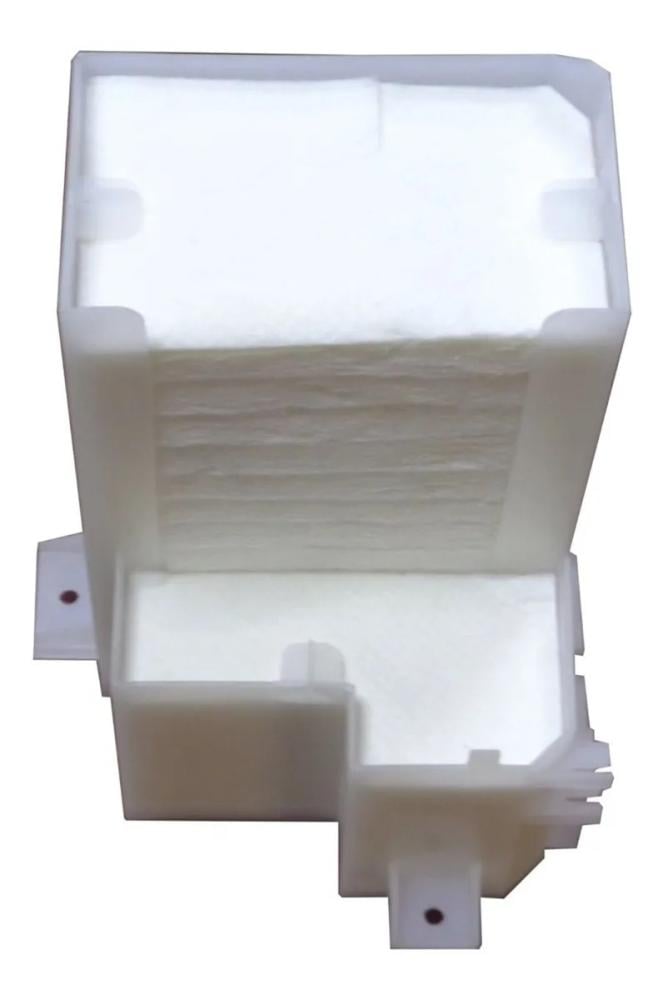


Tray Porous Assy Ciss 1469197 For Epson L800 L805
86.25ر.س
Product description
A full ink pad is one of the most common problems with Epson printers, especially the Epson EcoTank L805 and some other models.
When the pad's counter reaches its maximum capacity, the printer stops working and displays an error message requiring maintenance.
In this guide, we'll explain the cause of the problem and how to reset the Epson L805 printer's waste ink pad step by step so your printer can work again.
What is a printer waste ink pad?
The printer waste ink pad is an internal component designed to absorb excess ink resulting from printhead cleaning and automatic maintenance.
When the printer performs operations such as:
Printhead cleaning
First printer startup
Routine maintenance
Some ink is ejected into the waste ink pad, causing it to gradually fill over time.
Why does the "Service Required" message appear?
The Epson EcoTank L805 has an electronic counter that measures the amount of ink absorbed into the waste ink pad.
When this counter reaches the limit specified by Epson, the following message appears:
Service Required
Or
Parts inside your printer are at the end of their service life
This means that the sponge counter has reached its maximum capacity, not necessarily that the sponge is actually full.
Should I replace the sponge after resetting?
In most cases, you don't need to replace the sponge immediately, as the problem is usually with the ink counter.
However, if the printer has been used extensively for many years, it is recommended to:
Clean the sponge
Or replace it
To prevent ink leakage inside the printer.
Tips to prevent the sponge from filling up quickly
To extend the life of your Epson EcoTank L805 printer and reduce the need for resetting:
Only clean the printhead when necessary
Use high-quality ink
Print regularly to prevent printhead clogging
