




The best ultra-slim wireless keyboard with mouse with 1600 dpi accuracy comfortable usable with both hands with slim side design and angled stand - Arabic/English
99ر.س
Out of Stock
Product description
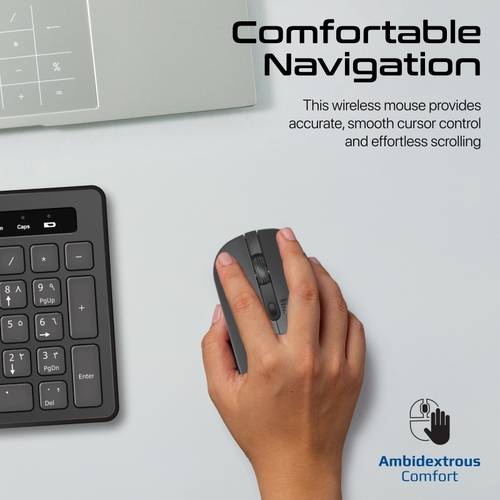
Enhancing productivity: The ProCombo-13 device combines a slim full-size keyboard, an angled stand, and an adjustable DPI mouse that works to enhance productivity and improve your desk. Wireless freedom: Get a stable and secure wireless connection up to 10 meters. Slim design: Add an elegant and contemporary look to your desktop. Full-size keyboard: Boost your productivity with a full-size keyboard. Comfortable navigation: This wireless mouse provides precise and smooth cursor control and easy scrolling. Accurate tracking: You can track on the screen with perfection using a high-quality wireless mouse with adjustable DPI controls up to 1600 dots per inch. Plug and play: Connect the nano receiver to your system’s USB port, and you are ready to work. The ProCombo-13 is the perfect set that combines a slim full-size keyboard and a comfortable mouse to enhance your productivity and improve your work life. The keyboard features an adjustable stand, which improves your productivity and reduces fatigue. The keyboard is extremely slim and does not take up much space on your workspace. Track cursor movement across the screen accurately with the high-quality mouse with adjustable dots per inch (DPI) up to 1600 DPI. The comfortable design and wireless freedom ensure no compromise on comfort or productivity. Product specifications: Keyboard and mouse set to boost productivity: Increase your productivity with the ProCombo-13 full-size keyboard and high-precision mouse so you can accomplish more tasks thanks to the sleek and modern design of the keyboard and the streamlined shape of the mouse. Full wireless freedom with 2.4 GHz connection: The Promate ProCombo-13 wireless keyboard and mouse use 2.4 GHz wireless transmission technology to provide a fast and reliable wireless range up to 10 meters to help you work confidently without delay. Full-size keyboard with appropriately high keys: Type comfortably on a full-size keyboard enhanced for accuracy. This keyboard also features a deep key design to meet the needs of those who prefer it. Type quickly, with full comfort and accuracy on the ProCombo-13 keyboard. Slim and stylish design to save space on the desk: The keyboard in the ProCombo-13 is very slim. This full-size laptop keyboard is a stylish addition to your workspace. Moreover, you can easily carry it to your office, home, or library, as this slim side appearance enhances portability. Reduce fatigue with a quiet wireless keyboard: The ProCombo-13 keyboard allows you to work more comfortably thanks to its quiet and comfortable keys. Its structure provides a smooth and responsive typing experience, reducing fatigue and boosting productivity without disturbing others. Angled ergonomic design for better comfort: The tilted, slightly angled keyboard base provides comfortable support for your hands while typing. This design promotes proper hand positioning and helps you use the keyboard for long periods without fatigue, enhancing your comfort and productivity. Ambidextrous wireless mouse for full comfort: The ambidextrous wireless mouse offers precise and smooth cursor control for effortless scrolling. Smooth cursor control with improved navigation for both left-handed and right-handed users makes the ProCombo-13 mouse an ideal purchase for everyone. High-precision tracking with 1600 DPI adjustable mouse: With a built-in high-precision sensor and DPI switch, you can easily toggle DPI settings between 800 (default), 1000, 1200, and 1600 DPI to improve performance. You can adjust sensitivity to match your screen’s resolution and change it using the DPI adjustment button on top of the Promate ProCombo-13 mouse. With the best optical sensors, you can expect improved efficiency for optimal performance. Smart USB nano receiver: The ProCombo-13 features a tiny receiver that connects both the keyboard and mouse in a single small, powerful USB port, eliminating the hassle of multiple receivers. Just plug it into a USB port and go. Simple plug-and-play operation: Just insert the wireless USB receiver into your device and enjoy wireless use of the mouse and keyboard. No driver installation is required.

From Riyadh
Questions you might have