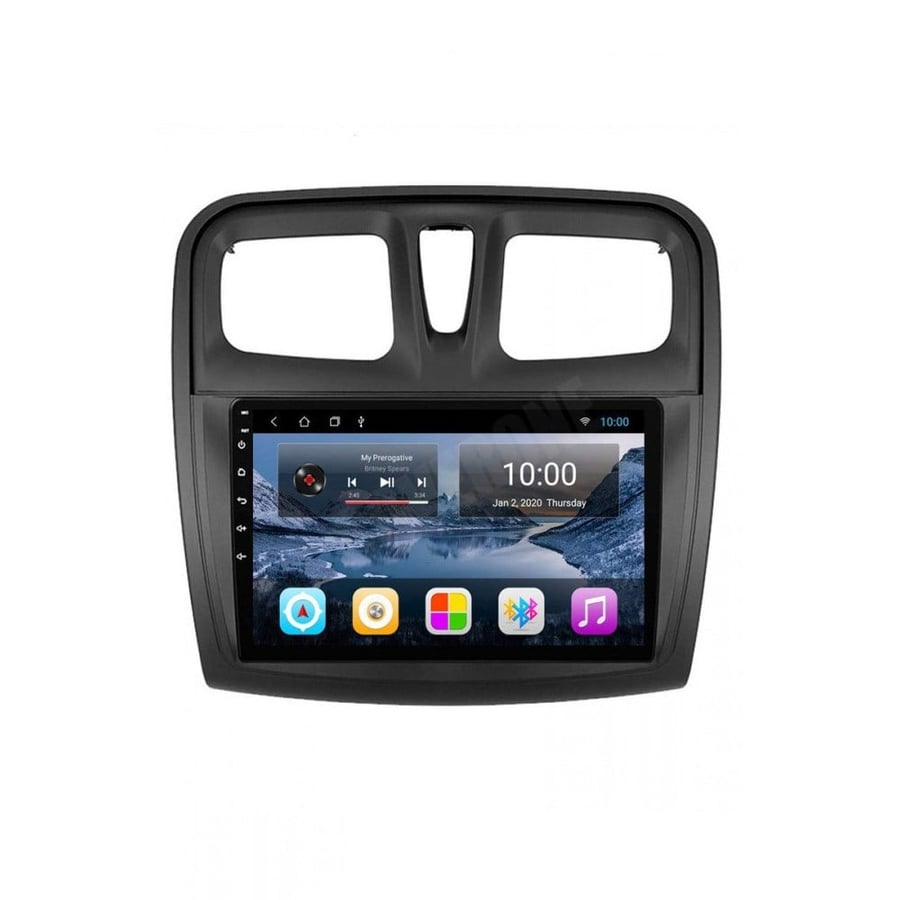
Renault Symbol and Sandero 2014-2017 screen
782ر.س
920ر.س-15%Product description
Renault Screen: The perfect technology for a distinguished driving experience
If you are looking for an advanced screen that adds real value to your car, the Renault screen is your ideal choice. This screen provides a distinguished driving experience with modern technology and an elegant design.
Features of the modern Renault screen
The Renault screen is not just an ordinary technical tool, but an innovation that combines multiple functions and attractive design. Here are its most prominent features:
Supports the latest and newest versions - Version 14, the developed and ideal version, which supports many applications that were not compatible with screens before.
Supports high clarity and colors, as well as CarPlay for Apple and Android trips.
Supports many specifications
Distinctive design: a screen of an ideal size that complies with modern standards and your car model.
Easy user interface: an interactive interface that facilitates navigation between different options.
Multimedia support: ability to play music and videos in high quality.
Advanced connectivity: supports Bluetooth and smart navigation systems.
Durability and quality: made from high-quality materials to withstand various conditions.
Why choose the Renault screen for your car?
If you are considering upgrading your car’s entertainment system, the Renault screen is an excellent option. Here are some reasons that make it special:
Full compatibility: fits your car model with professional technology.
High performance: a powerful processor ensures quick response and smooth operation.
Safety features: supports rear camera systems and parking assistance.
Continuous updates: supports software updates to improve performance and add new features.
How to install
Installing the Renault screen is simple and can be done easily by following these steps:
Choose the appropriate screen: ensure compatibility with your car model.
Check connections: verify all cables and accessories are present.
Installation: securely install the screen in its designated place.
Connection: connect the screen to the car’s internal system and adjust settings.
Tips to maintain your car screen
To ensure the screen works efficiently for the longest possible period, follow these tips:
Regularly clean the screen with a soft cloth.
Avoid exposing it to excessive heat or humidity.
Update the software periodically to get new features.
Check cables and connections to ensure there is no damage.
Frequently Asked Questions
Is the Renault screen available for all models?
Yes, screens compatible with most Renault car models are available, but it’s recommended to verify compatibility before purchase.
Does the Renault screen support Android or Apple CarPlay?
Yes, most modern screens support both Android and Apple CarPlay systems.
What is the warranty period for the Renault screen?
The warranty period varies depending on the manufacturer, but it usually ranges from one to three years.
Can the Renault screen system be updated?
Yes, most screens support updates to improve performance and add new features.

From Riyadh