


Professional Check and Transfer Printing Program (Apex)
1725ر.س
Product description
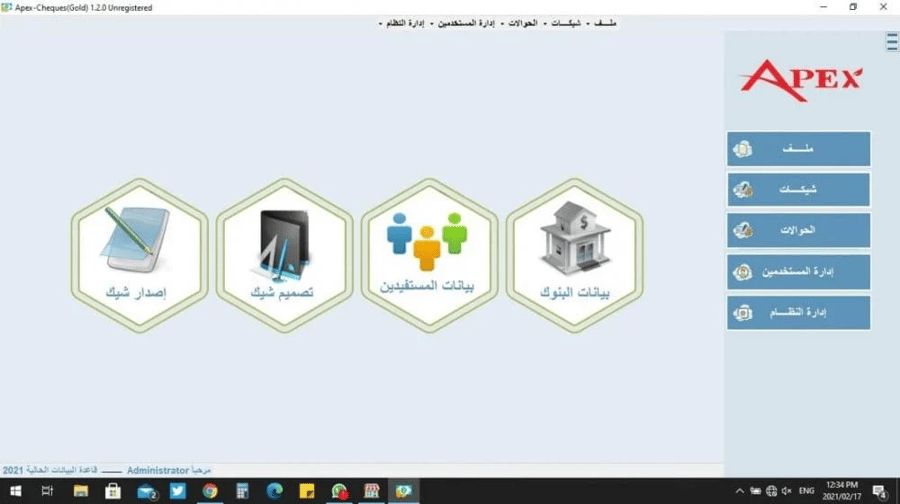
Elevate your financial operations efficiency with the professional check printing and remittance program (Apex). This integrated system offers an ideal solution combining accurate check issuance and design with easy tracking and organization of bank transfers. Designed with a simple and fast interface to meet the needs of companies, institutions, and banks with high flexibility and unmatched security. Program features: - High performance and rapid processing of checks and recording of financial transfers. - Simplified and lightweight user interface reduces human errors. - An ideal choice for documenting and automating payments in banking and commercial sectors. Important notes on installation and training: - Field installation: Additional fees of 230 SAR (including VAT) apply for on-site installation and training. - The available cities for on-site installation are our branches in: Riyadh, Jeddah, Khobar, Khamis Mushait, and Medina. If the service is requested for a field visit outside these branches, additional transfer fees will be applied based on the location. - Remote installation and training services (online) can also be provided. Technical specifications of the check printing and remittance program: - System components: - The system consists of two main sections (check design and issuance, and remittance system). - Bank data: - Through this screen, bank data with full details are added; bank data screens will be used in (check design, check issuance, beneficiary data). - Currency data: - Through this screen, currency data with fractions of the halalas are entered. - Beneficiary data: - Here, all beneficiary data is entered, and the bank name is selected to appear in the check issuance screen. - Check design: - Through this screen, the check model and bank name are selected, with adjustment of height, width, and all required formatting such as size, font type, and field height. - Also, from the drawer data, fields can be deleted or modified, and a check image can be added for formatting. You can set the check as default via the (Default Check) icon; the check will then become the default in the check design screen. Printing without breaks uses date segmentation - day – month. - Check issuance screen: - Through this screen, the desired design is selected, which was designed from the check design screen, along with beneficiary name, amount, date, and currency selection. - Check report: - Search by entity, beneficiary, bank name, check number, specify the desired date range, and display the report.

Questions you might have