


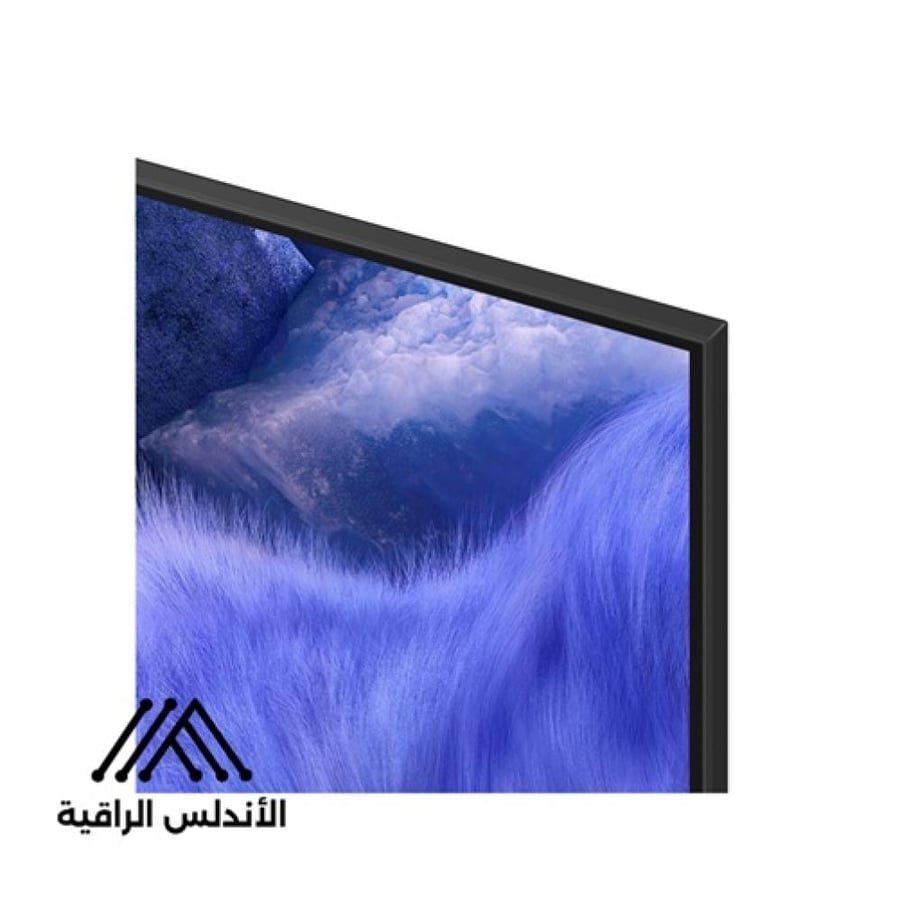

Samsung QLED QEF1 Smart TV 55 inch 4K
1699ر.س
Out of Stock
Product description
Basics
Q4 AI Processor
Feel the power of AI technology with 4K resolution
Billion color gradations at 100% with Quantum Dot technology
Countless types of free content
Access to a variety of free channels
Samsung Knox security
Your privacy, in safe hands
Enjoy limitless entertainment experience with Samsung Vision AI
A TV shows on its screen a fantastical natural scene of vibrant blue grass
Special Samsung Vision AI feature logo
Overview of main features
Feel the power of AI technology with 4K resolution
Samsung AI processor
Samsung's AI processor helps improve any viewing and sound experience for 4K TVs
The Samsung Q4 AI processor chip appears descending onto the TV's mainboard, illuminating with energy waves rushing strongly from the chip to the rest of the TV
Companion enriches your life details
Enjoy enhanced sound according to your content
Adaptive sound
The adaptive sound feature includes auditory scene intelligence that improves sound based on real-time scene analysis according to content type
Design backgrounds that harmonize with your mood using AI (Artificial Intelligence)
Generative background images
Choose keywords that express the atmosphere you want, and leave the AI technology to do its skilled job
Your TV will generate beautiful, unique images that can change the ambiance in your home
* The number of image creation attempts allowed per day may be limited
Image quality
Billion colors at 100% with Quantum Dot technology
Quantum Dot technology provides the most realistic image we can offer
With 100% color volume, Quantum Dot technology captures light and transforms it into stunning colors that remain realistic across various brightness levels
Scene shows a woman spitting water from her mouth in a swimming pool
The logo and text indicate "VDE tested 100% color volume on 01/2025 according to DCI-P3 standard. www.VDEinfo.com"
ID: 40059611
VDE Germany conducted the test
Another logo shows stacked colored wheels representing brightness levels
The size of the colored wheels increases to represent 100% color volume
While this happens, the scene of the woman in the pool becomes brighter and more vibrant with vivid colors
* The 100% color volume is measured according to the DCI-P3 standard approved by VDE
True colors, with advanced QLED technology
Because you always deserve the best
Vivid and accurate colors enhanced by Samsung's cadmium-free Quantum Dot layer that provides 100% color volume
* SGS logo is a modified version of the original logo for marketing purposes
Avoid imitation. Enjoy the true QLED experience
More about
Image quality
Enhanced color expression with AI
Professional color enhancement feature
AI technology recognizes each scene and enhances color expression accordingly, making the viewing experience more lively and dynamic
Wider contrast range with advanced cinematic scale
Quantum HDR technology
Enjoy the full power of each image thanks to Quantum HDR technology that highlights detail richness and contrast strength
Dynamic color grading with +HDR10 technology produces deeper blacks and more vibrant, long-lasting images
* The Quantum HDR brightness range is based on internal testing standards and may vary depending on viewing conditions or specifications
Enjoy a full range of authentic colors
PANTONE certified
The "PANTONE Validated" certification, as a trusted symbol of color accuracy among industry experts, confirms the precise expression of 2140 PANTONE colors and 110 shades of newly added skin tones
Thus, you can be fully confident of a rich and realistic viewing experience
* "Validated by PANTONE" certification is based on HDR technology screens
Watch your favorite content in 4K resolution
Upgrade to 4K resolution
Our 4K upscaling technology ensures your favorite content reaches 4K resolution
* Viewing experience may vary depending on content types and formats
* Resolution upscaling may not apply to PC connections and game mode
Gaming experience
A smoother, clearer viewing experience
Motion enhancement
Enjoy smooth viewing as the screen analyzes frame motion and improves its fluidity for stunning clarity in every scene
AI-enhanced smooth gaming
Auto Game Mode with AI enhancement
Unlock your TV to automatically detect the game type and optimize settings accordingly
Skip the hassle of manual setup and start gaming quickly
* Auto Game Mode with AI enhancement is available with some console games and PC
Adjust game settings during play
Game Bar feature
You can further improve your gaming with the Game Bar feature
Provides an easy-to-use in-game menu for settings like FPS (frames per second), input lag, mini-map zoom, and more
Also allows applying ultra-wide aspect ratios like 21:9 and 32:9 to expand your view
* Super Ultrawide GameView (21:9, 32:9) is available for certain PC and gaming console games supporting ultrawide screens
* Some games may not support this feature
* The zoom mode in Game Bar is not supported for certain refresh rates
* The UI of Game Bar may change without prior notice
Sound tracking
Perfect harmony between TV and soundbar
Q-Symphony sound technology
Create an immersive, harmonious, and melodious sound environment around you
Samsung's sound synchronizes between the TV and soundbar for simultaneous operation — without muting either device
* Check Q-Symphony compatibility in the soundbar product specifications
* Soundbar sold separately
* Speaker position and number may vary depending on the model
Immersive sound following scene movement
Object Tracking Sound Lite (OTS Lite)
Make 3D surround sound, available through virtual top-channel sound, to fully engage your senses in the audio experience
Tizen OS within One UI interface
Customizes your screen experience
Tizen OS within One UI provides a personalized screen experience
With Samsung Tizen OS, it offers the latest innovative features from Samsung
Your experience is protected by Samsung Knox across connected devices via SmartThings app
Additionally, Tizen OS within One UI will support Tizen OS updates for the next 7 years
Enjoy seven years
Of new TV experiences
Free access to channels
Countless types of free content
Access free channels, including paid Samsung TV Plus channels
Enjoy news, sports, entertainment, music, kids' shows, and more
With continuously added new content, there’s always more to discover
Displays show a variety of screens with diverse content
A top shot shows more screens and a vast amount of available content
Countless types of free content
Other screens appear
Add smart features and more to your experience
Screens move to the side as if scrolled through, showing TV shows, sports matches, movies, dramas, and music
Enhance your entertainment experience
Your privacy, in safe hands
Samsung Knox security
Your privacy is in safe hands on Samsung TVs
Sensitive data like passwords, connected IoT devices monitoring, and blocking malicious apps and sites are automatically protected
Additionally, Samsung’s security team helps keep your TV secure through continuous updates
* Samsung Knox security platform is available on Tizen-based Samsung TVs released since 2015
* The latest software update must be installed
More about
Tizen OS within One UI
Discover the world’s most famous art galleries on your TV
Art Store
Find the perfect artwork to match your unique taste from leading museums and top artists worldwide
Discover new art pieces through related collections and seasonal selections to suit every occasion and mood
* Subscription required to enjoy all artworks in Art Store
Enjoy the best free TV content
Samsung TV Plus
Enjoy every bit of your being with a wide range of shows, movies, and more on Samsung TV Plus
The app comes pre-installed free on your TV — no payment, subscription, or setup needed
* Channels may vary by country and are subject to change without notice
* Supported Samsung devices vary by country
* A Samsung account is required
* UI may change without prior notice
* Ads may appear on Samsung TV Plus
* Available free on Samsung Smart TVs launched since 2016
Enhance your day with enriched lifestyle experiences
Samsung Daily+ Assistant
Find apps, health, work, and lifestyle services on Samsung Daily+
Access SmartThings app, workout tracker, karaoke, and more, all in one place
* Samsung is not responsible for third-party services and does not bear any damages or losses caused by third-party services
Control your smart home devices easily via your TV
SmartThings
With the built-in Smart Hub app, your TV can connect and control smart devices — including those requiring Matter and HCA compatibility
Receive notifications about your devices directly on the screen, including a 3D map showing your entire smart home system at a glance
The living room TV screen shows the SmartThings app with SmartThings and Matter logos
Icons above connected devices
The image zooms on the TV displaying the SmartThings app in different rooms
Focus on light status
Switching from off to on
Curtains changing from closed to open
The image shrinks to show the TV displaying smart home info
More about
SmartThings gestures
Control with your watch
General gestures
Easily control your TV using your smartwatch
Just wear your Galaxy Watch and use hand gestures, like pinching with two fingers to select, or wrist movements to pause/play
* Available apps and services may vary and are subject to change without notice
* Support for this feature is only on Galaxy Watch4 and later, and Wear OS 5 and later
Save energy with smart analysis
AI Energy Mode
Easily reduce power consumption by turning on AI Energy Mode
Your TV will automatically adjust its brightness based on room lighting and user activity
It also fine-tunes brightness during different scenes to save more energy
* Power savings may vary depending on region, model, size, viewing conditions, and content type
* Some AI-powered energy-saving features are enabled by default on shipped products in power-saving mode; when AI Energy Mode is activated, energy savings levels may appear lower than standard mode
* AI Energy Mode does not work with Game Mode
Control your TV from your phone
Quick Control
Access main Samsung Tizen TV features from your mobile device
Use the "Quick Remote" feature to change channels, adjust volume, and more directly from your phone
* Instant notifications for remote control apps are available on Android OS 10.0 and above with compatible Samsung TVs (2020 models and newer)
* Access to Samsung Smart TV features is available on 2024 Samsung TVs and newer (for TVs) with Android OS 10.0 or later, or iOS 15.0 or later (for mobile devices)
Turn your TV into a karaoke stage and enjoy singing with your loved ones
Karaoke
Enjoy your time with friends and family using the Karaoke feature in Samsung Daily+
You can also connect your phone to act as a microphone
No additional equipment needed — your singing environment is already set up
* Requires installing SmartThings app on mobile devices and connecting via the same Wi-Fi network as your TV
* Microphone optimization is available for Galaxy S23 series and later, iPhone 15 and later only
* You must download the Karaoke app from Tizen to use the Karaoke feature
* An additional paid subscription is required after 6 months of free use (users can access 5 free songs daily without subscription)
Design
A sleek design that fits your living room
Slim form factor
This slim, beautiful design blends with your home decor and elevates your refined taste without compromising
A side view of a QLED TV shows its ultra-slim design on the display
Adjust your TV freely
Adjustable stand
Enjoy an optimal viewing experience by easily adjusting the TV’s position with the adjustable stand
It’s also perfect for mounting a soundbar underneath
* The width adjustment feature is available only on 55-inch and larger QEF1 models
QLED TV on an adjustable stand
* Image for illustration purposes only. Design changes that do not affect product performance may occur without prior notice. User interface, content, and services may vary by region and are subject to change without notice
Specifications
Overview
Product Type
QLED
Screen Size
55"
Refresh Rate
50Hz
Video
Q4 AI Processor
High Dynamic Range (HDR)
Quantum HDR technology
Enhance with AI intelligence
Upscale to 4K
Product Type
QLED
Screen
Size
55"
Refresh Rate
50Hz
Resolution
4K (3,840 x 2,160)
Video
Picture Engine
Q4 AI Processor
High Dynamic Range (HDR)
Quantum HDR technology
+HDR 10 technology
Support
Enhance with AI intelligence
Upscale to 4K
Contrast
Mega contrast
UHD Dimming technology
Dimming
UHD
Enhanced contrast
Motion technology
Motion Xcelerator
Smart calibration
Filmmaker Mode (FMM)
Yes
HDR Brightness Optimizer
Yes
Color Booster
Professional color enhancer
Sound
Object Tracking Sound Lite (OTS Lite)
Q-Symphony system
RMS output (watts)
20W
Speaker Type
2CH
Adaptive sound
Yes
Smart Service
Operating System
Smart TV with Tizen OS
Bixby
Yes (Voice Ready)
Samsung TV Plus
Yes (SA, AE, EG only)
Web Browser
Yes
SmartThings Hub / Matter Hub / IoT Sensor Functionality / Quick Remote
Yes
Smart Features
Multi-device experience
Mobile to TV, TV initiate mirroring, Sound Mirroring, Wireless TV On
Multi-View mode
Up to 2 videos
Apple AirPlay
Yes (excluding Syria, Yemen)
Daily
Yes
Storage Sharing
Yes
Generative Wallpaper
Yes
Karaoke Microphone
Yes
Gaming Features
Auto Game Mode (ALLM)
Yes
Game Motion Plus
Yes
Super Ultrawide Game View
Yes
Game Bar
Yes
Mini Map Synchronization
Yes
Lighting Synchronization
Yes (AE only)
HGiG
Yes
AI Auto Game Mode
Yes
Tuner / Broadcast
Digital Tuner
DVB-T2
Common Interface
Yes
Analog Tuner
Yes
Connectivity
HDMI Ports
3
USB Ports
1 x USB-A
HDMI (High Frame Rate) 4K 60Hz
Ethernet (LAN) Port
1
RF Input (Terrestrial / Cable)
1/1 (Common Use for Terrestrial)
Wi-Fi
Wi-Fi 5
Bluetooth
Yes (5.3)
HDMI-CEC (Anynet+)
Yes
eARC HDMI
Yes
Design
Design
Slim profile
Bezel Type
3 Bezel-less
Color (Front)
Titanium Gray
Stand Type
Flat, slim
Stand Color
Titanium Gray
Additional Features
Art Store
Yes
Electronic Program Guide
Yes
PVR Ready
Yes
IP Control
Yes
Display Languages
Local languages
Accessibility
Accessibility - Voice Guide
English (UK), French (France), Hindi (India), Korean (Korea), Russian (Russia)
Vision Support
Description for audio, list of menus, high contrast, SeeColors app, color inversion, grayscale, auto picture off
Hearing Impairment Support
Closed captions (subtitles), multi-output sound, focus zoom for sign language
Motor Impairment Support
Repeat button feature, universal remote control app
Energy & Environment Solutions
Environmental Sensor
Yes
Power Source
AC100-240V~ 50/60Hz
Power Consumption (Max, W)
135W
Auto Power Off
Yes
Auto Power Saving
Yes
Dimensions
Package Size (W x H x D, mm)
1369 x 819 x 127
With Stand (W x H x D, mm)
1234.1 x 758 x 237
Without Stand (W x H x D, mm)
1234.1 x 710.8 x 60.3
Stand (Base) (W x D, mm)
824.6 x 237
Minimum Stand (W x D, mm)
253.2 x 237
VESA Compatibility
200 x 200
Weight
Package Weight (kg)
15.7 kg
Device Weight with Stand (kg)
11.1 kg
Device Weight without Stand (kg)
10.8 kg
Accessories
Remote Model TM1240A
Wall Mount Bracket (for close wall mounting)
Optional stand support (Y20 Studio)
User Manual
Yes
Full-Array Local Dimming
Yes
Control IP
Yes

From Jeddah
Questions you might have