




Instant Delivery
Instant Delivery
Digital Business Card | Apple Wallet and Google Wallet
99ر.س
Product description
Your card is in the pocket of everyone you meet
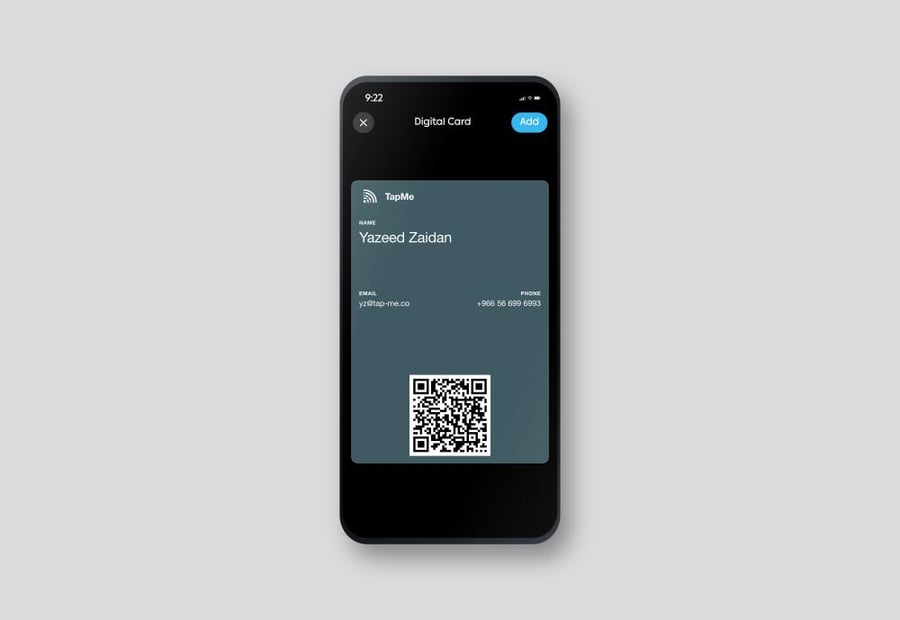
Instead of giving away a paper card that gets lost, add your business card to your mobile wallet. The other party opens it with a single scan and saves your name, phone number, email, and locations in a second.
How to get started — three steps, all within your grasp
- You order the product, and the activation link will be sent to you immediately upon order confirmation.
- Open the link on your mobile phone and register your account
- Fill in your information on the panel and press "Add to wallet".
We do not ask you for any data at the time of purchase, and you do not wait for anyone to prepare anything for you.
What do you get?
- A digital card in Apple Wallet or Google Wallet with your name and job title
- A public card page with a unique link for you, that opens on any device.
- The QR code on the card opens your page directly.
- A control panel where you can modify your data whenever you want.
- A contact file saved on the phone of the person you meet with a single click
- The card color matches the color of your ID.
Why digital?
- Starts immediately — no printing, no shipping, no waiting
- Your data changes with you — edit it from the dashboard; the link and icon always open the updater.
- It doesn't end and it doesn't break — and it doesn't need to carry anything extra.
- Share it from anywhere — WhatsApp, email, or direct scan
- It works on
- iPhone — via Apple Wallet
- Android — via Google Wallet
- The card page itself opens on any browser, even without a wallet.
