



Smart lock Tmw Am
649ر.س
900ر.س-28%ملاحظة: القفل يأتي معه كرتين فقط بالكرتون
ملاحظة: القفل يأتي بدون بطاريات بالكرتون
هناك نسختين من القفل وتختلف بالتطبيق فقط
Product description
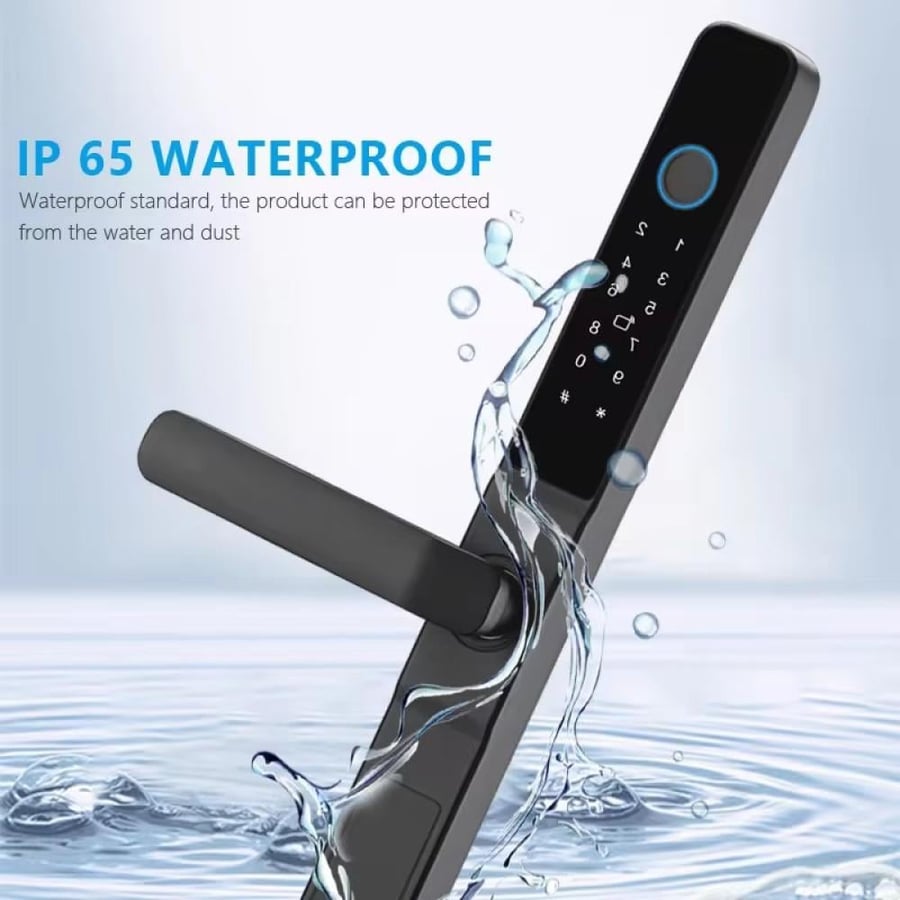
Two-year golden warranty from the date of purchase – guaranteed safety and lasting peace of mind! TMW smart lock for iron and aluminum doors – the strength of metal, with the intelligence of technology! If you are looking for a smart lock suitable for outdoor iron or aluminum doors, the TMW smart lock is the perfect choice that combines high durability and modern smart technologies. Designed specifically to be compatible with main entrance doors or internal metal doors, with full control via Wi-Fi and the Smart Life app. Main features: Direct Wi-Fi connection – remote control of the lock from anywhere via the Smart Life app. Multiple unlocking options: Fingerprint, PIN code, NFC card, Emergency mechanical key, Direct phone unlock. Safe and reliable – equipped with a Level C lock cylinder for added protection. Emergency power port (USB) – in case of battery depletion, you can temporarily activate the lock. Support for dummy password – to protect the PIN from visual spying. Elegant and durable design – matches iron and aluminum doors and adds a modern touch. Reversible handle (right/left) to suit all door directions. Child lock button from inside so the child cannot leave the house unless the button is released. Full management from your phone: View open/close logs, Send temporary or permanent permissions to users, Smart notifications for abnormal usage. Suitable for outdoor doors of homes, villas, buildings, and offices. Lock app name: Smart Life iPhone https://apps.apple.com/sa/app/smart-life-smart-living/id1115101477?l=ar Android https://play.google.com/store/apps/details?id=com.tuya.smartlife&hl=ar&pli=1 Color: Black Power: 4.5V - 6.5V (4 AA dry batteries) (not included) Supported fingerprint count: 100 fingerprints Compatibility: Compatible with all types of glass doors Security level: High Components of the smart electronic door lock: 1 × Smart door lock. 2 × Smart cards for unlocking. 1 × Set of attached screws. Programming the TMW AM1 smart lock. Adding a lock manager (Admin) 1. Press: * # 2. Enter default password: 123456 → then # 3. Press: 1 (Admin settings) 4. Press: 1 (Add admin) 5. Choose registration method: By fingerprint: Place the same finger multiple times until the lock confirms registration. By PIN: Enter a new 6-digit PIN then press # to confirm. Adding users 👆 By fingerprint: 1. Press: * # 2. Enter the admin’s fingerprint or PIN. 3. Press: 2 (User settings) 4. Press: 1 (Add user) 5. Place the new user’s fingerprint several times until registered. By PIN: 1. Press: * # 2. Enter the admin’s fingerprint or PIN. 3. Press: 2 (User settings) 4. Press: 1 (Add user) 5. Enter the new 6-digit PIN → then # → re-enter to confirm. By card: 1. Press: * # 2. Enter the admin’s fingerprint or PIN. 3. Press: 2 (User settings) 4. Press: 1 (Add user) 5. Swipe the card on the keypad until the lock confirms registration. Connecting with the Smart Life app 1. Download the Smart Life app (its icon is blue) from the store. 2. Log in and grant the required permissions. 3. Tap the + icon to add a new device. 4. For the lock: Press: * # Enter the admin’s PIN or fingerprint. Press: 1 (Admin settings) → 3 (Network settings) → 2 (Smart connection) 5. The lock will appear in the app, select it and complete the addition. 6. After connection, when pressing the doorbell button on the lock, you will receive a notification on the app and can unlock remotely. Factory reset (Reset) Method 1 (from the lock): 1. Press: * # 2. Enter the admin’s fingerprint or PIN. 3. Press: 4 (System settings). 4. The lock will ask for admin confirmation then perform a full reset. Method 2 (from inside the lock): Open the battery cover. There is a small button on the top right labeled Reset. Press it with a pin for 10 seconds until you hear a confirmation sound.

From Jeddah