
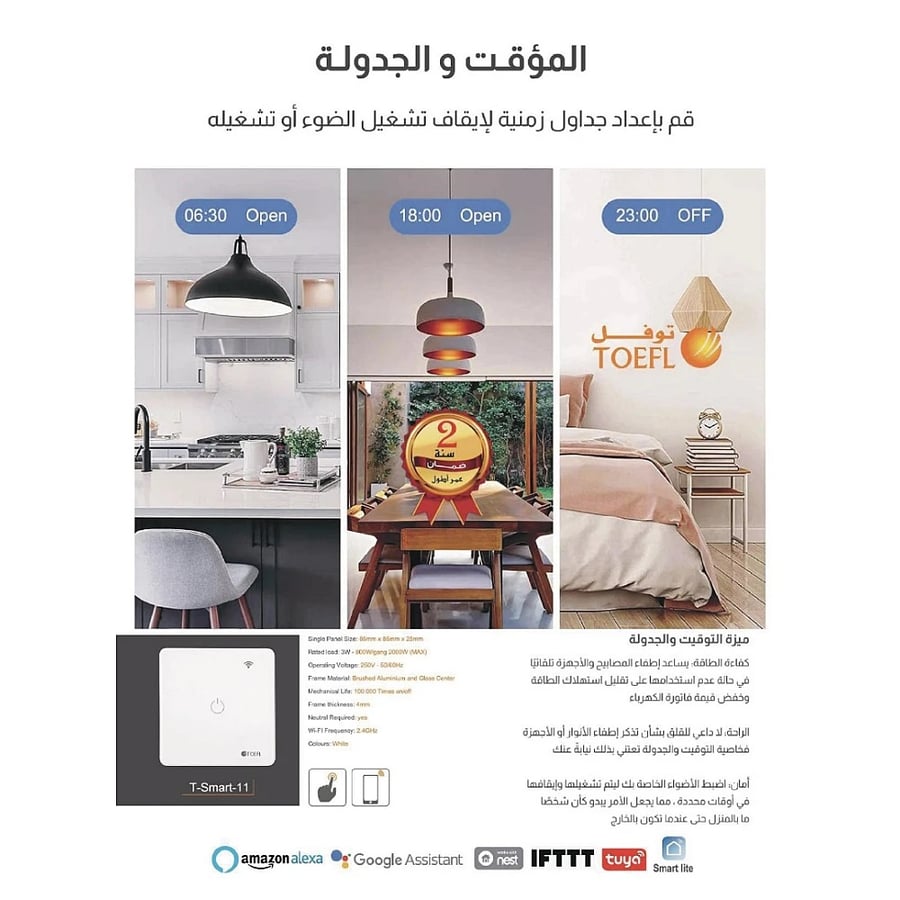


Smart three-key remote control WiFi easy to use touch control with mobile phone compatible with Alexa and Google Home Toefl
74.18ر.س
120.02ر.س-38%Product description
Product details
Type: In-wall flush-mounted
Dimensions: 7 × 7 cm
Cover color: White
Complies with Saudi and Gulf specifications: Yes
🛡️ Warranty: Two-year warranty against manufacturing defects
✨ Main features
✅ Remote smart control – turn lights on/off from anywhere via mobile app.
✅ Compatible with Amazon Alexa, Google Home, and Smart Life – connect to voice control devices and control lighting with your voice!
✅ Easy installation – no electrical wiring modifications needed (works on touch system).
✅ Energy saving – low wireless consumption (≤0.2W).
✅ Versatile – supports loads up to 1000 watts per switch (suitable for lamps, LEDs, fans, and others).
✅ Works in various conditions – withstands temperatures from -20°C to 70°C and humidity up to 95%.
💡 Features and uses
Remote control from anywhere in the world
Scheduled automatic on/off timing
Integration with smart home (Alexa/Google Home)
Precise energy consumption control for energy saving
⚠️ Important safety warnings
The device must be installed by a qualified electrician – handling electricity is dangerous and can cause shocks or fires.
Turn off the main power completely before starting installation.
Do not exceed the maximum load limit (1000W per switch).
Stay away from wet or water-exposed areas.
Do not press hard on the touch panel.
🔧 Step-by-step installation guide
Tools needed:
Insulated screwdriver
Insulating pliers
Voltage tester
Installation steps:
Turn off power at the main breaker.
Remove the old switch carefully.
Wire connections:
Brown wire (Phase/Live) → L terminal
Blue wire (Neutral) → N terminal
Black wire (Load) → L1/L2 terminal
Secure the switch in the junction box.
Turn the power back on and test the operation.
📲 Set up the Smart Life (Tuya) app on your smartphone
Download the app from Google Play or App Store.
Create an account or log in.
Tap (+) to add a new device.
Select "Switch" then "Wi-Fi Smart Switch."
Follow instructions:
Enter your 2.4GHz home Wi-Fi network data.
Press the switch button for 5 seconds until the LED flashes.
Name the device as you like (e.g., "Living Room Light").

From Riyadh