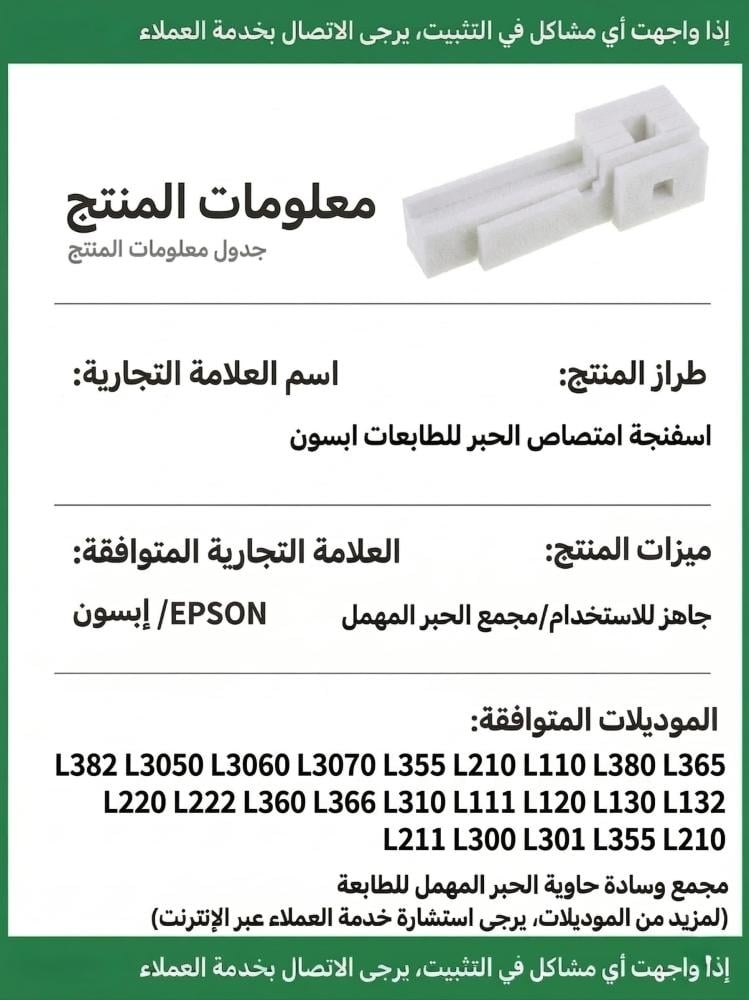

Foam pad for absorbing excess ink for Epson printers L355, L210, L110, L380, L365, L220, L222, L360, L366, L310, L111, L120, L130, L132, L211, L300, L301
69ر.س
Product description
Technical specifications: Material: High-density absorbent fibers that ensure superior absorption without decomposition. Color: White (divided into multiple layers to fit the structure of the maintenance box). Full technical compatibility (Epson models): Fully compatible 100% with models: L110, L111, L120, L130, L132, L210, L211, L220, L222, L300, L301, L310, L355, L360, L365, L366, L380. Main function: Absorption and storage of waste ink produced by printhead cleaning operations. Origin: Manufactured according to the highest standards of quality for reliable replacement printer parts. Superior quality standards (Information Gain): In the world of continuous printing (whether paper or thermal), printheads undergo periodic cleaning cycles to expel air and dried inks. Here, the importance of the ink absorption sponge emerges, as it acts as a safe reservoir that traps liquids and prevents them from reaching the motherboard or moving gears. Its multi-layer design ensures even distribution of the waste ink, preventing liquid pools that could leak outside the printer and damage the workspace. To browse more, you can visit the printers section in our store to elevate your equipment quality. Why is it the first choice? (The Value Prop): Purchasing this sponge is a smart investment that saves you hundreds of riyals and the costs of visiting complex maintenance centers. For home store owners and distribution projects, a printer stoppage means complete work halt. By replacing this simple part, you revive your printer with minimal effort and at a fraction of the cost. At Al-Sharq Al-Nader Store, we are keen to provide practical solutions that allow you to focus on your creativity and sales without worrying about sudden technical failures. Creative ideas for maximum benefit: Rejuvenating application printers: If you convert a regular Epson printer for sublimation printing, changing the sponge is an excellent proactive step to ensure old inks do not mix with new ones. Emergency stock for stores: Keeping two additional pieces in your workshop ensures that customer orders are not delayed during holiday and graduation seasons if the maintenance box suddenly fills up. Scheduled maintenance for companies: Add replacing the ink absorption sponge as part of the semi-annual office printer maintenance to ensure stable performance. Usage method (technical steps): Turn off the printer and unplug it completely for safety. Open the rear or bottom cover designated for the maintenance box using a suitable screwdriver. Carefully remove the saturated old sponge (preferably wearing plastic gloves). Place the new ink absorption sponge in the same order and layers inside the box, ensuring it is secure, then close the cover again. The most important step: after installation, the printer will still display a false error message about the box being full. To resume work immediately and professionally, get the Epson printer reset software, which will reset the waste ink counter to zero with the press of a button, allowing you to continue printing your projects successfully. FAQ: When should I change the ink absorption sponge? When the printer lights flash red, and the message "Printer pad life ended" appears on your screen. What if the plastic ink box itself is broken? Replacing the sponge alone will not prevent leaks. We offer a comprehensive solution by purchasing the integrated maintenance box (with the ink absorption sponge built-in) to save your time. Buy the integrated ink box. Is changing the sponge alone enough to get the printer back to work? No, the physical change must be accompanied by a software reset using the Epson printer reset program to resume printing immediately. Don’t let error messages stop your productivity and creative work; order the "ink absorption sponge" for Epson printers now, and ensure the continuity of your printing projects safely and with unparalleled efficiency!