




Residence and passport management template, contracts, and insurance - Arabic version
99ر.س
199ر.س-50%
Buy 2 get 1 free


Product description
Residence and Passport Management and Insurance Template — Your comprehensive dashboard for managing all employee documents easily and professionally.
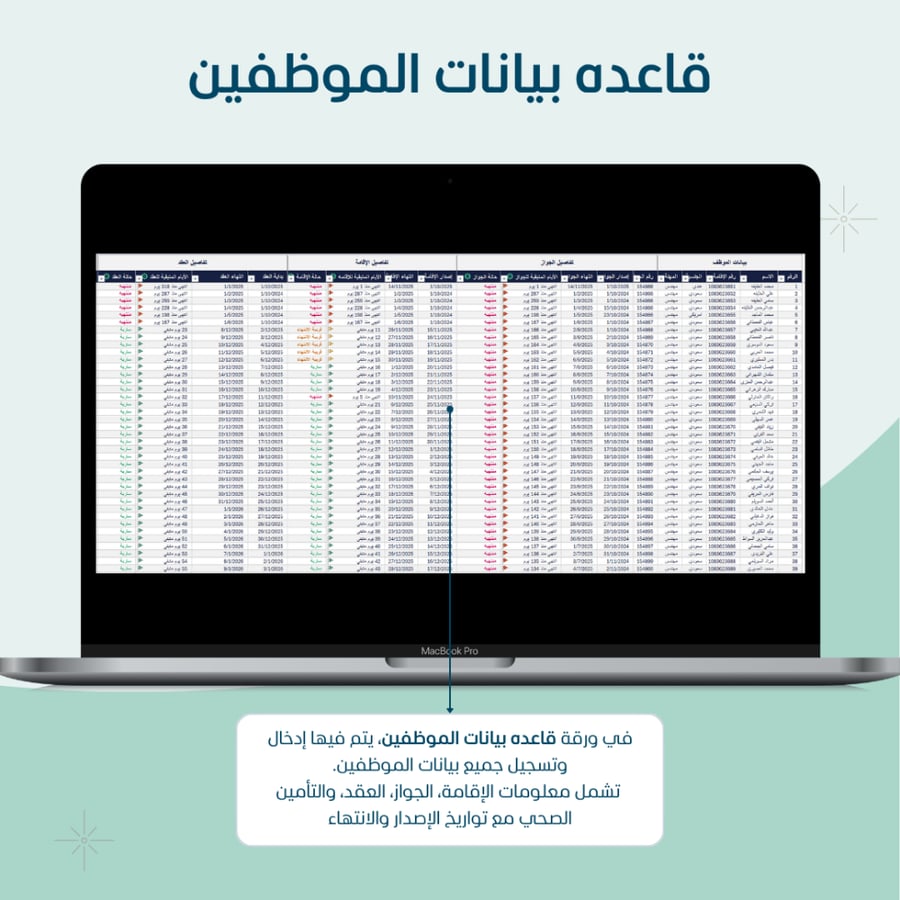
What does the template offer you? Complete management of all employee documents. Easily record employee data, and the template takes care of organizing and analyzing it, starting from residence, passport, contract, health insurance, and it will display the status of each document and when it expires.
Document status updates automatically. No need to monitor the date yourself.
The template automatically identifies:
– Expired documents
– Near expiration
– Valid documents
With clear colors to help you discover the status of all your documents.
Navigate to employee data with one click.
Double-click on the employee’s residence number on the dashboard, and you will go directly to a page with all their data, ready for review, printing, or PDF export.
Smart annual calendar displays dates as colored days.
Each expired document appears directly on the annual calendar in its own color, so you can see which employees need renewal or follow-up.
Professional ready-to-use dashboard.
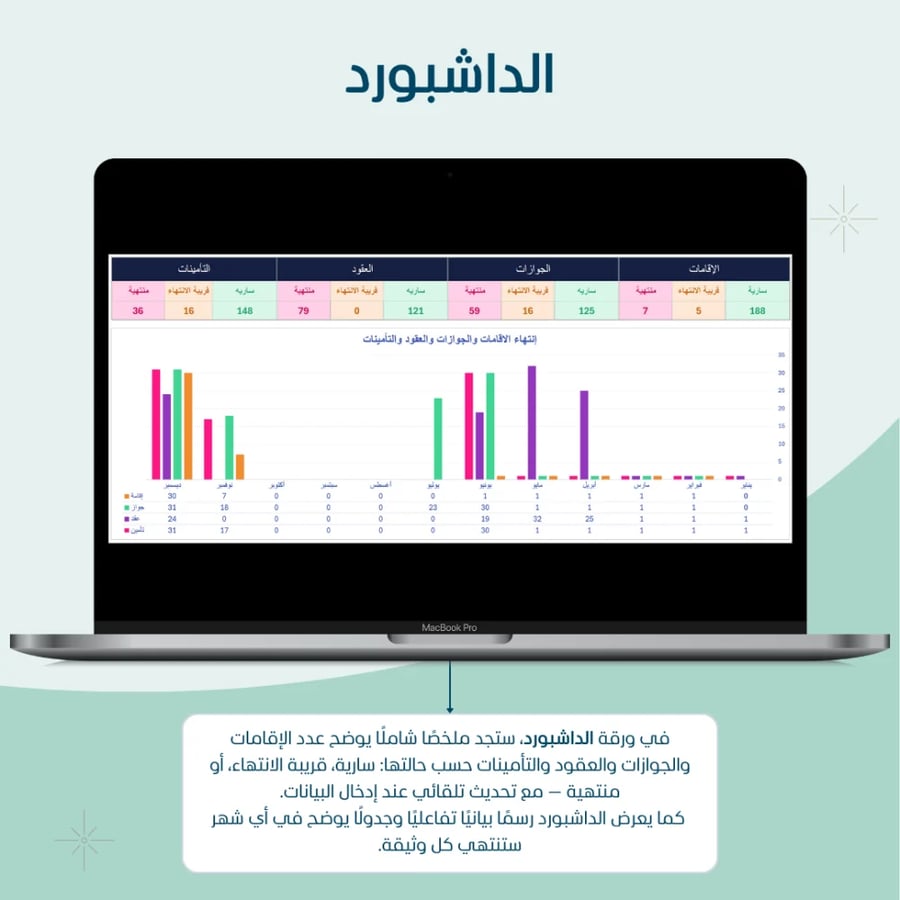
A powerful control panel gives you an overview of all statuses:
– Number of valid residences, near expiration, and expired
– Number of valid passports, near expiration, and expired
– Number of valid contracts, near expiration, and expired
– Number of valid insurances, near expiration, and expired
And much more… All automatically update once employee data is entered.
Advanced statistics by nationality.
An automatic chart shows the distribution of employees by nationality, helping you understand your team’s composition and benefit from it in reports and management.
Automatic lists for expired and near-expiration documents.
A smart table immediately displays employees whose documents have expired or are about to expire (residence, passport, contract, insurance), without searching or manual sorting.
Template features:
Suitable for beginners and advanced users.
Ability to set a suitable alert period to work on Excel without any external add-ons or programs.
Professional design with clear colors.
Option to print or save employee data as PDF.
Automatic updates for all tables and charts once data is entered.
Designed for small and medium enterprises.
General notes:
The template works on Excel desktop version 2019 or later.
Open-source template.
Does not include custom modifications for each client.
Important notes for enabling macros and features:
The template works on Excel desktop (Windows/Mac). Macros do not work on Excel Online.
Download the file and save it as an Excel Macro-Enabled Workbook (*.xlsm).
When opening the file for the first time, click Enable Content from the yellow bar.
If policies prevent macros:
Go to File > Options > Trust Center > Trust Center Settings > Macro Settings and choose Allow macros (or add the template folder to Trusted Locations).
The email sending feature requires Outlook desktop on Windows (the new “New Outlook” version does not support VBA automation).
If macros cannot be used, you can still print tasks via File > Print.

From Al Khobar