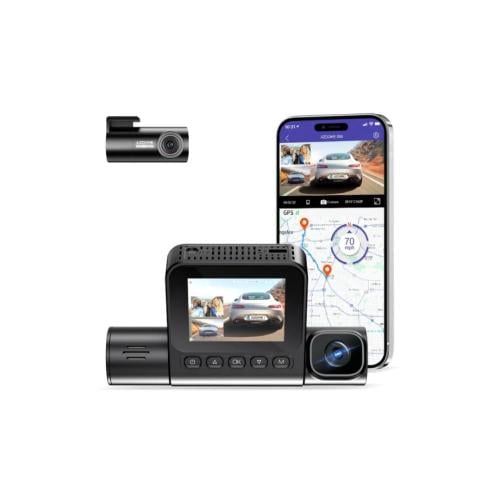
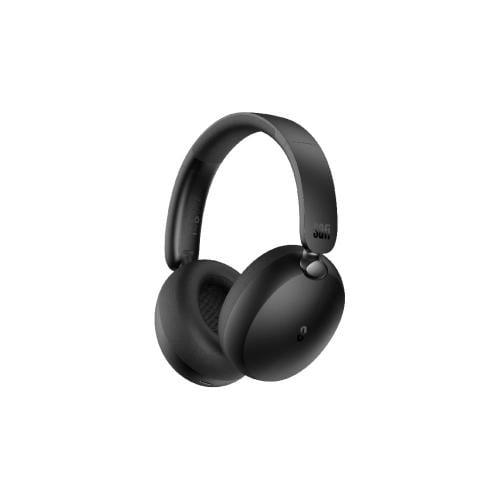
DDPAI Dash Camera Z50 Pro 4K Front and Rear Camera
569ر.س
699ر.س-19%Out of Stock
Product description
ddpai dashboard camera Z50 Pro 4K front and back give you an experience of high-quality filming from Tech Time, this camera comes with 4K resolution for the front camera and 1080p for the back camera, making you get clear recordings and detailed in all lighting conditions. The front and back dashboard cameras feature advanced night vision technology and wide viewing angle and smart protection system to assist the driver, the car dashboard camera is ideal for documenting trips and protecting the car from accidents and thefts. Product specifications 4G call Wi-Fi 6 high-speed transfer 4K+1080P dual channel NightVis 2.0 with internet provider AI supports up to two days of loop recording dual channel power management system lPS compatible with micro SD up to 512GB ADAS 2.0 driving assistant Bluetooth secret connection features ddpai dashboard camera 4G call ddpai dashboard camera receives real-time notifications directly to your DDPAI app with precise location and time stamp and video clips in case of any collision help monitor the car from anywhere using remote live view it wakes your dashboard camera then captures instant clips automatically uploads emergency clips and snapshots where files are displayed and easily downloaded via the DDPAI app ensuring data security the front and back dash cameras help set virtual boundaries for the car Wi-Fi 6 high-speed transfer Z50 Pro features Wi-Fi 6 technology providing fast video transfer in 4K resolution with optimized bandwidth dash cameras front and back reduce interference allowing preview, download, and share videos in seconds making it perfect for critical moments 4K+1080P dual channel Z50 Pro captures every angle accurately providing clear and detailed footage making your trip perfect. helps you enjoy high-quality recorded videos in true 4K resolution for the front camera and 1080P for the back camera NightVis 2.0 with AI internet provider ddpai dash camera supports advanced NightVis 2.0 technology from ddpai and processes images with AI ISP, enhancing night vision for parking monitoring, providing brighter and clearer vision even in dark environments. AI ISP is activated only in instant recording mode which requires using parking connection wires. supports this camera in loop mode where it records dual loop footage capturing front and back views for comprehensive coverage while reducing power consumption during parking, lasting up to two days. Collision detection mode: activates clear recording upon impact detection and captures important moments accurately to protect the car when unattended. contains power management system lPS which intelligently detects the car’s voltage to avoid battery drain. compatible with micro SD cards up to 512GB, Z50 provides ample space for continuous 4K recording, ideal for long drives and extended parking monitoring, keeping your clips safe and uninterrupted. MicroSD card sold separately, U3 card recommended for best performance. ADAS 2.0 driving assistance provides real-time safety alerts and customizable settings, assisting in a smooth and tailored driving experience for a safe and comfortable trip. smart voice control feature the camera has smart voice control to easily capture moments, automatically saving 10-second videos including 5 seconds before and after the shot, perfect for your trip. secret Bluetooth connection after the initial pairing, immediately connect to the camera’s Wi-Fi network for stable signals, allowing quick playback, download, and sharing of videos. front and back dash camera installation front camera installation locate the mounting point directly behind the interior mirror for the best viewing angle without affecting the field of vision. clean the windshield thoroughly with a blue tissue to ensure adhesion. mount the dash camera in the holder and make sure it is secure, then adjust the angle as needed. pass the USB-C power cable along the interior ceiling of the car to reach the cigarette lighter. back camera installation locate the rear dash camera position, preferably in the middle of the inside of the rear glass for clear view. clean the rear glass well before installation, then use the fixed adhesive included with the camera to secure it firmly. run the rear camera cable along the ceiling edges and doors to reach the front camera, then connect it to the designated port. connection and operation connect the front dash camera to a power source, then start the car; the camera will operate automatically. download the DDPAI app on your phone, connect the camera to your phone, and set the preferences as desired. test the front and back views before permanently installing the cameras.

From Riyadh
Questions you might have