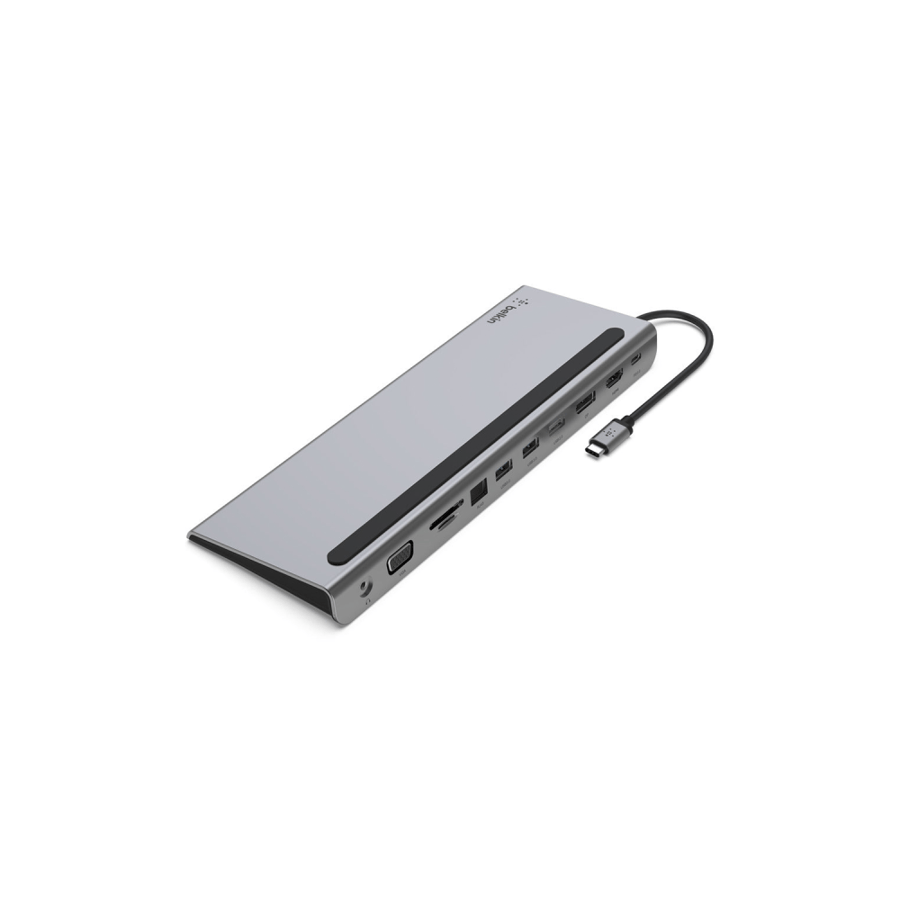


Belkin USB-C hub 11 in 1 – Type C splitter with HDMI and DisplayPort and VGA and 100-watt charging
390ر.س
Product description
If your new laptop has only one USB-C port, the Belkin Connect 11 in 1 dock returns all the ports that Apple removed and modern laptops lack. A desktop Type-C USB hub with an elegant design, connects at the back for cable management, and also works as a laptop stand to save space.
Why choose the Belkin 11 in 1 dock instead of buying 3 separate adapters? This dock gives you everything in one device: support for 3 screens, stable wired internet, file transfer from camera cards, and full 100W charging at the same time. Perfect for designers, accountants, and remote work.
Main features:
11 actual ports: HDMI 1.4 + DisplayPort 1.2 + VGA up to 4K, 3x USB-A 3.0, USB-C PD, Gigabit Ethernet, SD and MicroSD card readers, 3.5mm audio port
100W pass-through charging: charge MacBook Pro 16" while connecting all devices
Data transfer at 5Gbps: transfer 4K files from camera or hard drive quickly
Smart desktop design: all ports at the back + works as a stand to lift the laptop for ventilation
"I was struggling with the new MacBook that only has USB-C, now I connected everything at once: two screens, printer, and wired internet" – Turki, Riyadh
"I use it as a stand and distributor combined, the desk is now tidy and ventilation is much better" – Mona, Jeddah
Technical specifications:
Model: Belkin AVC006
Ports: HDMI 1.4, DisplayPort 1.2, VGA, 3x USB-A, 1x USB-C PD, RJ45 Ethernet, SD, MicroSD, 3.5mm Audio
Resolution: up to 4K @ 30Hz (one screen) or 3 FHD screens
Charging: PD 3.0 up to 100W
Transfer speed: 5 Gbps
Dimensions: 260 × 90 × 23 mm
Cable: built-in USB-C 16 cm
Warranty: two years
Full compatibility: works with MacBook Air/Pro M1, M2, M3, iPad Pro, Dell XPS, HP Envy, Lenovo ThinkPad, Surface Pro, and Chromebook. Supports Windows, Mac, and Chrome without driver.
"I transferred full wedding photos from an SD card in less than two minutes, I used to wait a quarter of an hour" – Abdulaziz, Dammam
Design solves cable issues: unlike small hanging hubs, Belkin designed all ports at the back to keep wires hidden. The metal base lifts the laptop 2 cm to improve airflow and reduce heat during long work sessions.
Does it support 3 screens with MacBook?
Yes, on Windows it supports 3 external screens. On Mac M1/M2 it supports one 4K screen + the laptop screen, and on M3 Pro/Max it supports two screens.
Does 100W charging fully power the laptop?
The dock consumes 15W to operate and passes up to 85W to the laptop when using a 100W original charger. Enough to charge MacBook Pro while working.
Is Ethernet faster than Wi-Fi?
Yes, the Gigabit port provides a stable connection up to 1000Mbps, ideal for meetings and large downloads without interruption.
Post-purchase questions:
The second screen didn’t work, what’s the solution?
Make sure the laptop supports DisplayPort Alt Mode, and update the graphics driver. Use HDMI for the first screen and DP for the second.
Is the card reader slow, is that normal?
Ensure the card is UHS-I and inserted correctly. Max speed is 104MB/s on SD.
Does it heat up with long use?
The aluminum design distributes heat. If the temperature exceeds 45°C, disconnect the power for 5 minutes and keep it in an open space.

From As Shamli