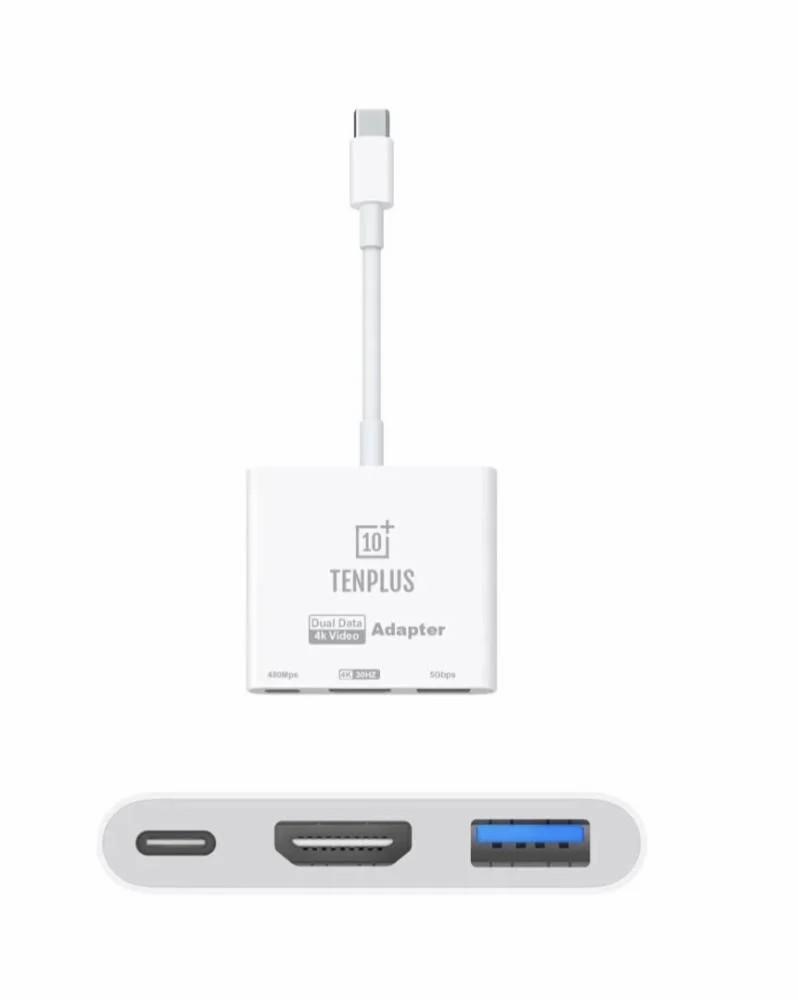
Type C connection CHD from Tan Plus - Adapter
89ر.س
Product description
Tenplus multi-port USB-C digital AV adapter allows you to connect a Mac, iPad, or iPhone supporting USB-C to an HDMI display, with a standard USB device and a USB-C charging cable also. This adapter enables mirroring of the screen of a supported USB-C Mac, iPad, or iPhone to an HDMI-compatible TV or display. HDMI output: connect your USB-C device to an HDMI-compatible screen or TV for sharp and clear video and audio in 4K quality at 30Hz. USB-A port: add a standard USB port for your device to connect peripherals such as keyboard, mouse, or flash drive. USB-C pass-through port: keep your device charged while using the adapter through the built-in USB-C port supporting power delivery. Compact and portable design: lightweight design makes this adapter easy to carry in your bag or pocket, ideal for mobile professionals and travelers. Plug and play: no additional software or drivers needed—just connect and be ready to use. Equipped with USB-C. Display resolution up to 4K at 30Hz on: iPhone 15, iPhone 15 Plus, iPhone 15 Pro, iPhone 15 Pro Max, iPad Pro 13-inch (M4), iPad Pro 11-inch (M4), iPad Air 13-inch (M2), iPad Air 11-inch (M2), iPad Air (5th generation), iPad Pro 11-inch (4th generation), iPad Pro 12.9-inch (3rd generation and later), MacBook Pro 16-inch (2019), MacBook Pro 15-inch (2017 and later), MacBook Pro 13-inch (4 Thunderbolt 3 ports, 2020), MacBook Air (2020), iMac Retina 5K 27-inch (2017 and later), iMac Retina 4K 21.5-inch (2017 and later), and iMac Pro (2017 and later). iPad Air (4th generation), MacBook Air (2018 and later), MacBook Pro 13-inch (2016 and later), MacBook Pro 15-inch (2016), iMac non-Retina 21.5-inch (2017), and Mac mini (2018). Simply connect the adapter to the USB-C or Thunderbolt 3 (USB-C) port on your Mac, iPad, or iPhone, then connect it to the TV or display via an HDMI cable (sold separately). Use the standard USB port to connect devices such as external drives, cameras, or USB cables for syncing and charging your iOS devices. You can also connect a charging cable to the USB-C port to charge your Mac, iPad, or iPhone.

From Al Sulaiyl (Wadi al-Dawasir)