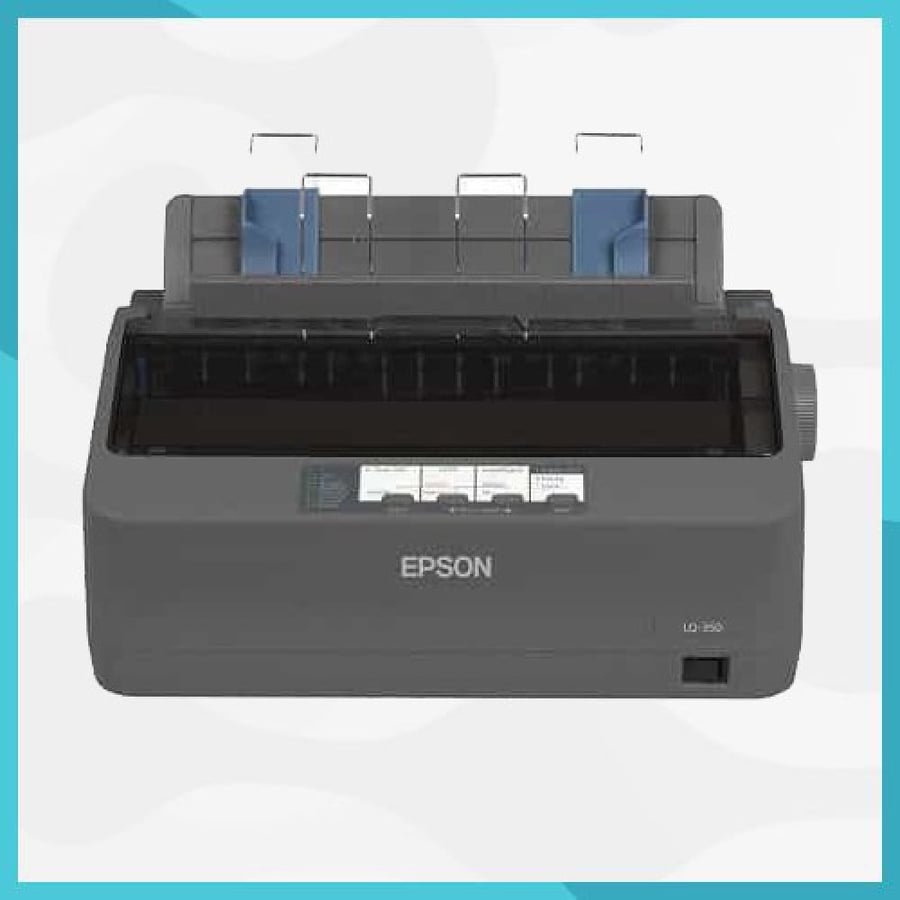

Epson LQ-350 invoice printer, economical with lower energy consumption
990ر.س
Product description
♥ Epson Invoice Printer LQ-350 Epson: Epson invoice printer LQ-350 Epson ... Epson invoice printer LQ-350 Epson, the wonderful, fast, and accurate printer of the type LQ-350 Epson, and it is preferred by everyone because of the wonderful capabilities that this printing has. It can print letters and edges on paper very accurately despite its average price, but it is practical, and we will learn about all the capabilities it possesses in the following lines. ♥ Epson invoice printer: The wonderful Epson invoice printer LQ-350 can continue working and its total continuous hours are 10,000 hours, which is ideal for front and back office applications that require multiple paper or office tools continuously. Epson invoice printer LQ-350, lightweight and elegant, easy to integrate into work environments, on parallel and serial interfaces, and it has many jacks, most importantly USB as a standard for working on computers, and it fits perfectly in offices with its compact design and cable management system. And LQ-350 is very economical to operate and helps save money with 2.5 million characters on the ribbon and low energy consumption. LQ-350 is ENERGY STAR certified due to its excellent energy efficiency, consuming only 1.3 watts in standby mode and 23W in operational mode. ♥ Product features: ♥ Very cheap printer for work, LQ-350 helps save money with high ribbon performance of 2.5 million characters and low energy consumption. ♥ Using only 1.3W in standby mode and 23W when operating, LQ-350 is an energy star qualified for excellent energy efficiency. ♥ Easy to integrate, LQ-350 has parallel, serial, and USB interfaces as standard, and will fit perfectly in offices thanks to its compact design and cable management system. ♥ Operates with high efficiency, MTBF 10,000 hours of operation. ♥ Regarding power and high efficiency, reaching up to 1.3 watts in standby and 22 watts when operating. ♥ Economical: Ribbon yield of 2.5 million characters. ♥ Very easy to install with parallel, serial, and USB interfaces. ♥ Small and elegant design matches most decor surfaces. ♥ Epson invoice printer specifications: ♥ Printing method used in this product: Impact dot matrix ♥ Epson's ribbon life: 24 ribbons ♥ Columns that can be printed: 80 columns ♥ Printing speed: 10 copies, equivalent to 260 characters/second, LQ: 10, and it can print 86 characters/second, indicating high speed. If you use high speed, it can accomplish 10 copies of 347 characters/second. If you want to try carbon copy, you will get 3 copies plus the original at the same time. The distinctive feature of this product is the high clarity of the printer, a level you will not find in another product at the same price, 360×180 dots per inch. ♥ There are several non-USB ports, including a parallel port: RS-232, USB 2.0 with power indication for documents, which relies on the back of the paper, and also depends on the connected back technology and paper exit back. ♥ You should know that the printable formats with this product are single and multi-layer pages, and it can also print connected sheets, single and multi-layer, and labels (single and multi-layer). You can also print envelopes and rolled papers. ♥ Epson invoice printer capabilities: ♥ The highly reliable Epson invoice model has an average operating time of 10,000 hours and is perfect for front and back office applications that require continuous paper or multi-part stationery. ♥ Epson invoice printer LQ-350 Epson is very economical and helps save money with a high ribbon yield of 2.5 million characters and low energy consumption. With only 1.3W in standby and 23W when operating, and ENERGY STAR qualified for excellent energy efficiency. ♥ With the Epson invoice printer, integration is easy, and it comes standard with parallel, serial, and USB interfaces, fitting perfectly in offices thanks to its compact design and cable management system. ♥ The important thing here is the high capacity with capabilities that you will not find matched at this price from a global brand specialized in printing tools. This printer performs many tasks and can be carried and transported easily inside and outside the office. ♥ The feature of this printer is the high printing accuracy for office papers, speed, and the number of copies it can hold due to its internal memory capacity. ♥ You can also set it up and configure it on all computers running all types of Windows from Windows XP to the latest Windows 10 from Microsoft. There is no need to worry about this product. ♥ Also, from many users' experience, the product has received positive reviews from customers on official stores, with many positive comments. Instructions when using Epson invoice printer LQ-350 Epson: Do not connect the cables in ways other than those mentioned in this manual. Different connections may damage the equipment and cause it to burn. Make sure to place this device on a stable, horizontal surface. Do not use in places exposed to high humidity or dust levels. Excess humidity and dust may damage the equipment or cause a fire. Do not place heavy objects on this product. Do not stand or lean on this product. The equipment may fall or collapse, causing breakage and potential injury. Be careful not to touch your fingers to the manual cutter when removing printed paper or performing other operations such as loading or replacing the ribbon. For safety, disconnect this product before leaving it unused for a long time. The following items are included with the printer: Printer, Ribbon roll, Cover connector, Power switch cover, Paper roll guide, *58 mm × 2 paper ribbons, Screw, Power adapter, Power cable, Warranty certificate, Setup manual, Software disk and documents. Setting up the Epson invoice printer: Follow the steps below. Connect the cables. Install the cover connector. Arrange the cables. Install the paper roll. Use the installation cylinder and start installing the device.

From Jeddah