


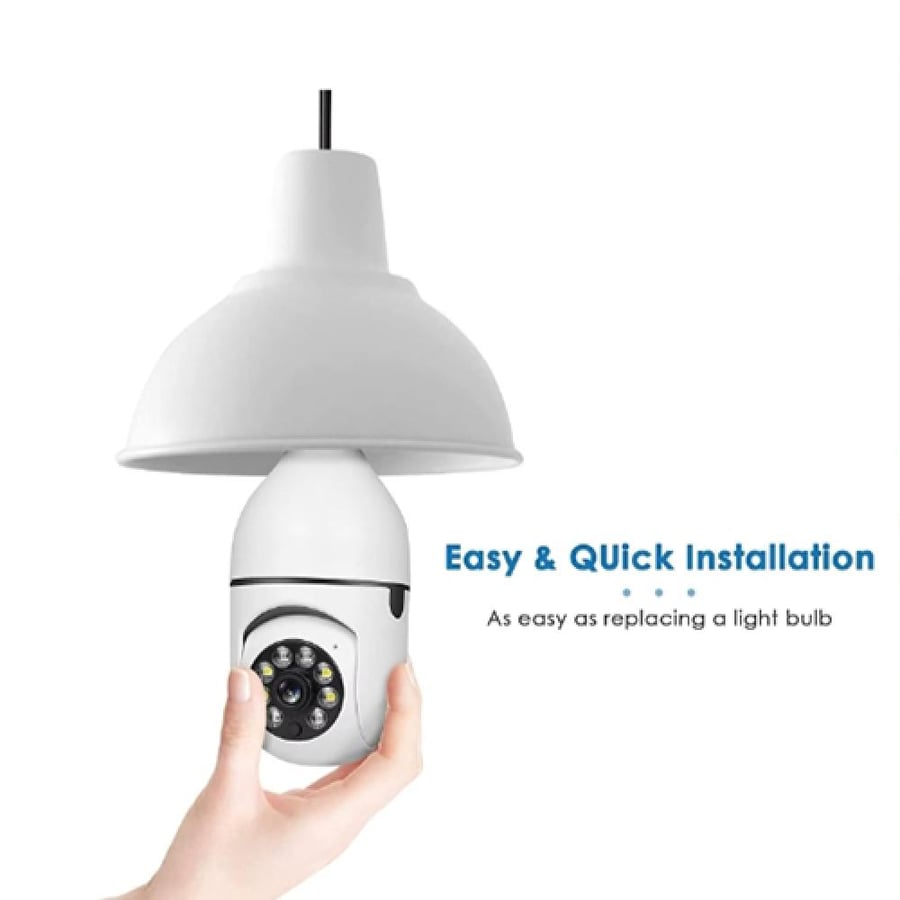
Wi-Fi panoramic surveillance camera 360° with night vision and two-way audio
50ر.س
100ر.س-50%Out of Stock
Product description
Wireless 360° panoramic surveillance camera with night vision and two-way audio X-IOT CAM protect your home or office with a 360° Wi-Fi panoramic surveillance camera, night vision, two-way audio, and TF card storage, smart security, and easy to use. Technical specifications: Camera type: smart panoramic surveillance camera viewing angle: 360 degrees for comprehensive coverage video resolution: high definition (HD) night vision: supported by infrared technology audio: two-way (built-in microphone + speaker) storage: supports TF card up to 128GB (depending on the version) connection: Wi-Fi (2.4G Wi-Fi only) app: X-IOT CAM (available on App Store and Google Play) compatibility: iOS and Android devices reset: reset button to restore camera to factory settings remote operation: via the app to watch live broadcast anytime notifications: instant alerts when motion is detected (according to app settings) dimensions: small and lightweight suitable for installation anywhere uses: homes – offices – shops – monitoring children or the elderly main features of X-IOT CAM surveillance camera: 360° panoramic view: covers all corners of the place with one camera without the need for additional cameras advanced night vision: provides clear images even in complete darkness, making it ideal for night security Wi-Fi wireless connection: easy installation and operation via wireless network without the need for complex extensions and wires TF card support: ability to record and store videos directly on a memory card for later review two-way audio: you can talk and listen in real-time through the camera for more security and communication how to operate the X-IOT CAM surveillance camera: 1. download the app: download the X-IOT CAM app from the App Store for iOS devices or from Google Play for Android devices. 2. quick setup: for your convenience, you can scan the QR code to directly download the app. 3. if unable to access Google Play: you can use the QR code (APK QR) to manually install the app. 4. network setup: ensure your phone is connected to 2.4G Wi-Fi, then follow the setup steps to connect the camera to the app. frequently asked questions about the surveillance camera: Q1: I can't find or set up the camera via the app, what is the solution? A: make sure your device is properly connected to the internet, and check that the app has all necessary permissions. Q2: Why does the camera keep asking for username and password or show an error? A: the default password for the camera is 6666. if you forget login details, you can reset the camera to factory settings. Q3: How do I reset the surveillance camera to factory settings? A: press and hold the reset button on the camera for 5 seconds until it restarts and returns to default settings. Q4: The image is unclear, what should I do? A: remove the protective cover from the lens, and if fog persists, adjust focus by rotating the lens for a clear, sharp image. Why is the X-IOT CAM surveillance camera the best choice? An ideal tool for monitoring children at home or the elderly. Suitable for companies and offices to monitor employees and secure the premises. Perfect for shop owners to reduce theft and oversee activities inside the store. Easy to install and use even for beginners. Provides complete peace of mind with live monitoring via phone. Order your surveillance camera now and enjoy full security wherever you are.

From Jeddah
Questions you might have